Free · No account
Free Barcode Maker Online
Make barcodes and QR codes online for free with Barcode.codes. Create UPC, EAN, ISBN, Code 128, GS1-128, Data Matrix, PDF417 and Aztec codes at your printer's DPI and download SVG, PNG, WebP, JPEG, PDF or EPS. Scan or read barcodes with your camera or from images too. Everything runs in your browser, with no account.
Every barcode. Zero cost. Your data stays on your device.
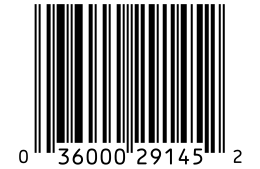 UPC-A · 300 DPI42.9 × 27.8 mm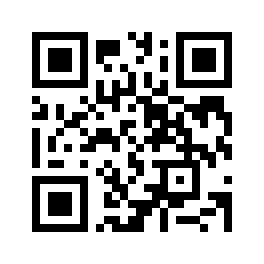
Live preview
23 symbologies, 1D and 2D. Set DPI and X-dimension, download SVG with its size in millimeters.
Try the generatorFree Barcode Tools
Below are the core tools: two make barcodes and QR codes, four read them with a camera or from images, and two explain a barcode number and its check digit. The tools page lists all 65 free tools and 25 guides.
- Make
Barcode Generator
Create 23 barcode types, from QR Code and UPC-A to GS1-128 and ISBN, with a live preview. Set the DPI, bar size and quiet zone, then download SVG, PNG, WebP, JPEG, PDF or EPS.
- Make
QR Code Generator
Make QR codes for links, Wi-Fi, contact cards, email, phone, SMS, WhatsApp and Google reviews, with the encoded content shown in full.
- Read
Barcode Scanner
Scan barcodes and QR codes with your phone or laptop camera. Every code it reads is listed, ready to copy or download as CSV.
- Read
Barcode Reader
Read barcodes from photos and screenshots: choose images, drop them on the page or paste them. GS1 data is split into named fields.
- Read
QR Code Scanner
Scan QR codes with your camera and see the full address of a link before you open it.
- Read
QR Code Reader
Read QR codes from screenshots and saved images, up to 32 codes in one picture.
- Explain
Barcode Lookup
Check a UPC, EAN or ISBN number: its type, its check digit and the GS1 office that issued it. Search open product and book registries if you choose.
- Explain
Check Digit Calculator
Calculate or verify the check digit of a UPC, EAN, SSCC, ISBN, Code 128 or Luhn number, with every step of the sum shown.
Barcode Formats You Can Create
The generator makes 23 barcode types, grouped below by where they are used. Each link opens the generator with that type already selected.
QR Codes and Other 2D Codes
Book, Magazine and Music Barcodes
GS1 and Logistics Barcodes
Barcodes for Internal Labels
Why Use a Free Online Barcode Maker
Barcode.codes draws every code in your browser and exports files sized for real printers. There is no account, watermark or download limit.
Your Data Stays on Your Device
The barcode is drawn by code running in your browser, so the data you type is never sent to a server. The scanners read the camera video and your images in the same way, on your device. The site records page visits with Google Analytics and shows Google ads, as the privacy policy explains.
Print-Ready Downloads
Choose your printer's DPI and the width of the narrowest bar, and the generator draws every bar as a whole number of printer dots. SVG, PDF and EPS files are vector drawings at their print size, and PNG and JPEG files carry the DPI you chose. WebP files have no standard field for DPI, so set the size in the program you print from.
GS1 Digital Link and GS1 DataMatrix
GS1 US describes Sunrise 2027 as the retail move from 1D barcodes to 2D codes such as QR codes and GS1 DataMatrix, with checkout systems able to read them by 2027. The generator makes both kinds: a GS1 Digital Link QR code with your GTIN and a GS1 DataMatrix with element strings. You still need your own GTIN from GS1.
GS1 Sunrise 2027 explained what changes at checkout and what to print.
QR Codes for Links, Wi-Fi and Contacts
The QR code generator has a page for each kind of content, with its own form, field reference and common mistakes.
URL QR code generator for a website link.
WiFi QR code generator to let guests join your network.
vCard QR code generator for a contact card.
Text QR code generator for plain text.
Email QR code generator to start an email.
Phone number QR code generator to start a call.
SMS QR code generator to start a text message.
WhatsApp QR code generator to start a WhatsApp chat.
Google review QR code generator to ask for Google reviews.
Static Codes
Every QR code made here is static: the content is written into the code, so it needs no account and never expires. It cannot be changed after printing.
How to Make a Barcode
Making a barcode takes about a minute: choose the type, enter the data, check the preview and download the file.
- Open the barcode generator and choose a barcode type, such as UPC-A for a product or QR Code for a link.
- Type the number or text. For UPC and EAN you can leave out the last digit and the check digit is added for you.
- Pick the DPI of your printer and check the print size under the settings.
- Download SVG, PNG, WebP, JPEG, PDF or EPS, print a test copy and scan it with your phone.
Which Barcode Type Do I Need?
Choose the barcode by where it will be scanned: a store checkout, a bookshop, a warehouse or a phone camera.
For Products Sold in Stores
GS1 requires the EAN/UPC family (UPC-A, UPC-E, EAN-13, EAN-8) for every item scanned at a store checkout. A UPC-A carries a 12-digit GTIN built from a GS1 Company Prefix that starts with 0, such as those GS1 US issues; 13-digit GTINs are printed as EAN-13. UPC-E and EAN-8 are the short forms for packages too small for the full code.
For Books, Magazines and Sheet Music
Books use the ISBN barcode, magazines the ISSN barcode and printed music the ISMN barcode. All three are EAN-13 symbols built from your registered number. A 5-digit add-on can carry the suggested price of a book.
For Shipping and Inventory
Use ITF-14 on outer cartons and GS1-128 on shipping labels that carry batch numbers, dates or serial numbers. For your own shelves, bins and asset tags, Code 128 holds any ASCII text in a compact symbol.
SSCC barcode generator for the pallet label's SSCC.
What is a GS1 barcode? the GS1 barcode types explained.
For Links, Menus and Phones
Phone cameras read QR codes: on an iPhone, the Camera app opens them without another app. Use one for links, Wi-Fi details and contact cards, keep the link short, and test the printed code with a phone before printing many copies.
Types of barcodes every 1D and 2D type compared, and how to identify one.
Frequently Asked Questions
Is Barcode.codes Really Free?
Yes. Every tool is free to use, with no account, no watermark and no limit on downloads. To keep it free, the site may show ads in the future, as the About page explains.
Do I Need a GS1 Number to Make a UPC Barcode?
You can draw a UPC barcode for any 12-digit number, but stores expect a GTIN that is licensed to your company by GS1. Numbers bought from resellers or made up may be rejected by retailers. For internal labels that never reach a store, use Code 128 instead.
Can I Make a Barcode in Excel or Word Instead?
Yes, in Excel. The Barcode in Excel tool downloads an .xlsx file whose barcode column is set in the free Code 128 or Code 39 font, from a pasted list or a CSV or Excel file of up to 10,000 values. In Excel versions with the IMAGE function, a formula can show a PNG from the barcode API in a cell. Word has no tool of its own here: insert a downloaded PNG or SVG as a picture, as you can in Excel.
Can I Make Many Barcodes at Once?
Yes. The bulk barcode generator takes a pasted list, a CSV, TSV, TXT or Excel file, or a number sequence, up to 10,000 rows on a computer and 5,000 on a phone or tablet. It downloads a ZIP of SVG, PNG, WebP, JPEG, PDF or EPS files, one SVG or PDF sheet, or a label sheet PDF. The bulk QR code generator does the same for QR codes, and the label generator puts up to 5,000 barcodes on label sheets.
Which File Format Should I Download?
Download SVG for design work: it stays sharp at any size and carries its size in millimeters. PDF and EPS are vector files for print shops and older design programs. Use PNG or JPEG at your printer's DPI for documents and label programs that take images, and WebP for web pages.
Will My Barcode Scan After Printing?
It will if it is printed at its full size, with its white margins, in dark ink on a light background. Print one test copy and scan it with the barcode scanner on this site or with a phone before printing many.
Is There a Barcode Maker App to Install?
No app store download is needed: Barcode.codes runs in the browser on phones, tablets and computers. Where the browser offers it, the Offline use page installs the site as an app in its own window. After a visit, the generator, scanners, readers, check digit calculator and inventory counter also work without a connection.
Explore More Barcode Tools
- Bulk barcode generator
Barcodes from a list, CSV or Excel file, as a ZIP.
- Barcode label generator
Sheets of barcode labels as a print-ready PDF.
- Custom QR code generator
Colors, module shapes, eye styles and a logo.
- QR code to barcode converter
A QR code's content in another barcode type.
- USPS Intelligent Mail barcode generator
The 65-bar IMb for letters and flats, at USPS dimensions.
- What is a UPC code?
The 12 digits, the check digit and how to get one.