Email QR Code Generator
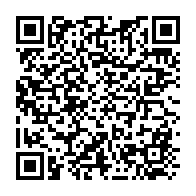
Make a free email QR code: when someone scans it, their phone opens a new email to your address with the subject and message already filled in, ready to send. The generator writes a standard mailto link and shows it in full. Download SVG, PNG, PDF or EPS.
14.9 × 14.9 mm at 300 DPI
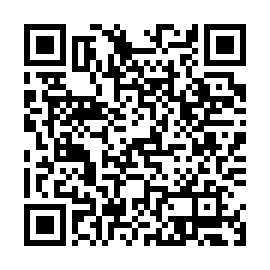
Scaled to fit. Actual size shows the print size on screen.
Print simulationNew
Shows how a worn print looks and tests it with the decoder.
Blue bars: the start, center and end guard patterns. Downloads stay in your chosen colors.
- Type
- QR Code · 2D
- Print size
- 14.9 × 14.9 mm
- Raster
- 180 × 180 px
- Symbol
- version 5, 37 × 37
- GS1 prefix
- Read back
Download
Vector drawing, 14.9 × 14.9 mm. Design and label programs place it at its print size.
More export optionsNewTest sheet · size set · embed code
Print test sheet (PDF)
The code at 80%, 100% and 150% with 100 mm and 4 in rulers. Print it at actual size and scan each copy before printing many.
Size set (ZIP)
Magnification
DPI
Embed code
How to Create an Email QR Code
Enter the address, an optional subject and message, and download the code.
- Type the email address that should receive the messages.
- Add a subject and a message if you want them filled in.
- Check the encoded mailto link, then download the code.
- Scan a test print and check the new email looks right.
Email QR Code Fields
An email QR code holds the address and, if you add them, a subject and a message.
| Field | Required | Notes |
|---|---|---|
| To | Yes | Free text. |
| Subject | No | Free text. |
| Message | No | Free text. |
| Encoded form | mailto:<address>?subject=<subject>&body=<message> |
|---|---|
| Example | mailto:support@barcode.codes?subject=Hello&body=I%20scanned%20your%20code. |
| Special characters | Percent-encoding (%20 for a space); a line break in the message is %0D%0A |
| When scanned | Readers open a new email to the address, with the subject and message filled in, ready to send |
| Checked before drawing | The address must contain @ and a domain. The subject and message are optional; every character that needs it is percent-encoded. |
| Read back by Barcode.codes | The Barcode.codes scanner names the recipient, the subject and the message of a scanned email code. |
| Standard | The mailto URI scheme, RFC 6068 (October 2010), including its example of a two-line message. |
| Size of the example | The generator's example is 74 characters long: a version 5 QR code of 37 × 37 modules at error correction M. |
| Error correction | Choose L (about 7% of the code can be restored), M (about 15%, the default), Q (about 25%) or H (about 30%), as DENSO WAVE lists them; a higher level makes a larger code. |
Sources, checked 2026-10-04: RFC 6068: The 'mailto' URI Scheme; ZXing: Barcode Contents.
How an Email QR Code Works
The code holds a mailto link, defined in RFC 6068, which phones hand to their email app.
Encoding the Subject and Message
Spaces become %20 and line breaks %0D%0A, as RFC 6068 shows in its examples; the generator encodes every character that needs it. Nothing is sent until the person presses Send.
Where Email QR Codes Help
An email code saves people typing an address correctly, which matters for support, feedback and orders.
Examples
Support: a code on a product that opens a support email with the product name in the subject.
Feedback: a code at a counter that starts a feedback email.
Requests: a code on a poster that requests a brochure.
Common Email QR Code Problems
Problems usually come from the address or from a phone without an email app set up.
What to Check
- Address: a typo sends every message to the wrong place; test the code.
- Email app: a phone needs an email app set up to open the message.
- Long messages: a long message makes a dense code; keep it short.
Frequently Asked Questions
Does Scanning the Code Send an Email?
No. It opens a new email with the details filled in; the person still presses Send.
Can I Add a Subject and Message?
Yes. Both are optional and are written into the code, encoded as the mailto format requires.
Can I Add Several Recipients?
The generator takes one address. Use a shared mailbox address if several people should receive the messages.
Will It Work Without an Email App?
The phone needs an email app set up to open the message; otherwise people see the address and can copy it.
Is the Email QR Code Generator Free?
Yes, with no account, watermark or download limit.
Is the Address Sent to Barcode.codes?
No. The code is built and drawn in your browser.
Related QR Code Generators
- QR code generator
Every QR content type on one page.
- SMS QR code generator
Start a text message instead.
- vCard QR code generator
Share all your contact details.