PDF QR Code Generator: A QR Code for Your PDF's Link
Make a QR code that opens a PDF, such as a menu, a manual or a flyer, from its link. Barcode.codes does not upload or host files: put the PDF online first, on your website or a file host, then paste its link here and download the QR code as SVG or PNG.
12.2 × 12.2 mm at 300 DPI
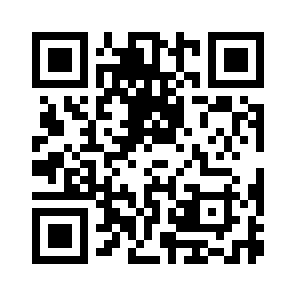
Scaled to fit. Actual size shows the print size on screen.
Print simulationNew
Shows how a worn print looks and tests it with the decoder.
Blue bars: the start, center and end guard patterns. Downloads stay in your chosen colors.
- Type
- QR Code · 2D
- Print size
- 12.2 × 12.2 mm
- Raster
- 148 × 148 px
- Symbol
- version 3, 29 × 29
- GS1 prefix
- Read back
Download
Vector drawing, 12.2 × 12.2 mm. Design and label programs place it at its print size.
More export optionsNewTest sheet · size set · embed code
Print test sheet (PDF)
The code at 80%, 100% and 150% with 100 mm and 4 in rulers. Print it at actual size and scan each copy before printing many.
Size set (ZIP)
Magnification
DPI
Embed code
How to Make a QR Code for a PDF
Put the PDF online, paste its link, and download the QR code; the code opens the PDF for as long as it stays at that link.
- Upload the PDF to your website or a file host and copy a link that anyone can open.
- Paste the link above: the field below the form shows the exact text in the code.
- Download the QR code as SVG for print or PNG for screens.
- Print a test copy and scan it with a phone to check that the PDF opens.
PDF QR Code Fields
A PDF QR code holds one field: the link to the PDF, exactly as you paste it.
| Field | Required | Notes |
|---|---|---|
| Link to your PDF | Yes | The PDF must already be online at this address, open to anyone with the link. Barcode.codes does not upload or host files. |
| Encoded form | The web link of a PDF that is already online, starting with https:// or http:// |
|---|---|
| Example | https://example.com/menu.pdf |
| Special characters | None: the link is written as it is |
| When scanned | It is a web link: readers open it in a browser, which shows the PDF or downloads it |
| Checked before drawing | The link must start with https:// or http:// and contain a domain; a file on your device is refused, because a phone cannot open it from a code. It need not end in .pdf, as share links of file hosts often do not. |
| Read back by Barcode.codes | The Barcode.codes scanner shows the link in full with an Open button naming its host. |
| Standard | A QR code holds at most 2,953 bytes (version 40, error correction L), far less than a PDF, so the code holds the link to the file. Barcode.codes uploads and hosts nothing: the PDF must stay online at that link. |
| Size of the example | The generator's example is 28 characters long: a version 3 QR code of 29 × 29 modules at error correction M. |
| Error correction | Choose L (about 7% of the code can be restored), M (about 15%, the default), Q (about 25%) or H (about 30%), as DENSO WAVE lists them; a higher level makes a larger code. |
Sources, checked 2026-10-04: ZXing: Barcode Contents; GS1 General Specifications R26.0, §5.7.2 (QR Code capacity).
Where to Put the PDF
The QR code holds only the link, so the PDF has to stay online at an address anyone can open.
On Your Own Website
Upload the PDF to your site and use its address. The link stays under your control, and you can replace the file at the same address when it changes.
On a File Host
A file host's share link works when sharing is set so that anyone with the link can view the file. Open the link in a private browser window before printing: if it asks you to sign in, other people will see the same.
A PDF QR Code That Does Not Expire
The code from this page holds your link itself, with no redirect through Barcode.codes, so it works for as long as the PDF stays at that address.
Replacing the PDF Later
To change the PDF without reprinting, upload the new file to the same link. If the link changes, the printed code still opens the old one, so keep the old address working.
Can a PDF Be Turned Into a QR Code?
Not the file itself: a QR code holds at most 2,953 bytes, while a PDF is usually much larger, so a PDF QR code holds a link to the file.
Sites that turn a PDF into a QR code store the file on their servers and put their own link in the code, which works as long as they keep the file. Here you choose where the PDF lives.
What is a QR code explains how much a QR code holds and how phones read it.
Frequently Asked Questions
Is the PDF QR Code Generator Free?
Yes. There is no account, watermark or download limit, and the code is drawn in your browser.
Does Barcode.codes Host My PDF?
No. Barcode.codes does not upload, store or host files: the QR code holds the link you paste, and the PDF stays wherever you put it.
Will My PDF QR Code Stop Working?
Not because of this site: the code holds your link and nothing else. It stops working only if the PDF is removed from that link or its sharing is turned off.
Can I Change the PDF After Printing the Code?
Yes, if you replace the file at the same link, for example on your own website. A new link needs a new code.
Why Does My Phone Download the PDF Instead of Showing It?
The phone opens the link in its browser, and the browser and the file host decide whether the PDF is shown or downloaded. Both let the reader see the file.
How Big Should a PDF QR Code Be?
The link decides how dense the code is: a shorter link gives a code with larger modules. Print it large enough for the distance people scan from, and test one copy.
Related QR Code Generators
- QR code generator
Every QR content type on one page.
- URL QR code generator
A QR code for any web link.
- Custom QR code generator
Add colors, shapes and a logo to the code.
- Bulk QR code generator
Many QR codes from a list of links.