EAN-13 Barcode Generator
Create an EAN-13 barcode online for free: enter the 12 digits of your GTIN-13 and the check digit is added, or enter all 13 and it is checked. Add a 2- or 5-digit add-on, switch to EAN-8 for small packs, and download SVG, PNG, PDF or EPS at your printer's DPI.
40.8 × 27.8 mm at 300 DPI
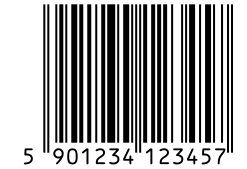
Scaled to fit. Actual size shows the print size on screen.
Print simulationNew
Shows how a worn print looks and tests it with the decoder.
Blue bars: the start, center and end guard patterns. Downloads stay in your chosen colors.
- Type
- EAN-13 · 1D
- Print size
- 40.8 × 27.8 mm
- Raster
- 495 × 337 px
- Modules
- 95 wide
- GS1 prefix
- 590 · GS1 Poland
- Read back
Download
Vector drawing, 40.8 × 27.8 mm. Design and label programs place it at its print size.
More export optionsNewTest sheet · size set · embed code
Print test sheet (PDF)
The code at 80%, 100% and 150% with 100 mm and 4 in rulers. Print it at actual size and scan each copy before printing many.
Size set (ZIP)
Magnification
DPI
Embed code
How to Create an EAN-13 Barcode
Type the number, check the size and download the file; the check digit and the GS1 layout are handled for you.
- Keep EAN-13 selected, or choose EAN-8 if your package is too small and you have a GTIN-8.
- Type the 12 digits of your number, or all 13 to have the check digit verified.
- Add a 2- or 5-digit add-on only if your trade uses one, such as an issue number on a magazine.
- Download SVG, PNG, PDF or EPS at your printer's DPI and scan a test print.
EAN-13 and EAN-8 Barcodes
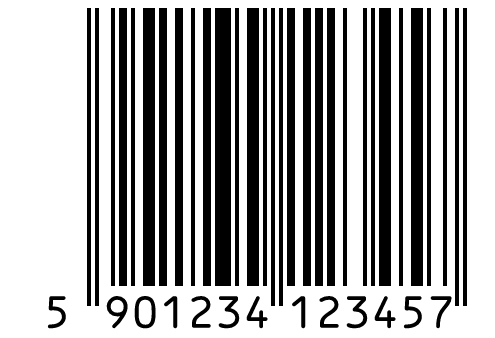
EAN-13 is the 13-digit product barcode used in most countries, and EAN-8 is an 8-digit version for very small packages.
EAN-13: The International Product Code
- Digits: 12 digits of the GTIN-13 plus a check digit.
- Layout: the first digit is printed outside the bars and set by the other digits' patterns.
- Quiet zone: 11 modules on the left and 7 on the right.
EAN-8: For Very Small Packages
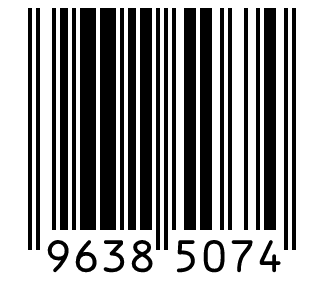
- Digits: 7 digits of the GTIN-8 plus a check digit.
- Numbers: GTIN-8s are assigned one by one by a GS1 member organization, for packages too small for EAN-13.
- Add-ons: none: GS1 defines add-on symbols only for EAN-13, UPC-A and UPC-E.
EAN-13 and EAN-8 Specifications
These are the GS1 rules for EAN symbols scanned at retail checkouts.
| Property | EAN-13 | EAN-8 |
|---|---|---|
| Digits | 13 digits: a 12-digit GTIN-13 body and a check digit; the first digit is shown outside the bars | 8 digits: a 7-digit GTIN-8 body and a check digit |
| Characters | Digits 0 to 9 | Digits 0 to 9 |
| Check digit | GS1 mod 10: weights 3 and 1 from the right | GS1 mod 10: weights 3 and 1 from the right |
| X-dimension (narrowest bar) | 0.33 mm (0.0130 in) standard; 0.264 to 0.66 mm allowed | 0.33 mm (0.0130 in) standard; 0.264 to 0.66 mm allowed |
| Minimum bar height | 22.85 mm (0.900 in) at the standard X-dimension; 18.28 mm at the smallest and 45.7 mm at the largest | 18.23 mm (0.718 in) at the standard X-dimension; 14.58 mm at the smallest and 36.46 mm at the largest |
| Quiet zone | 11 modules left, 7 modules right | 7 modules left, 7 modules right |
| Add-ons | Optional EAN-2 or EAN-5 add-on, 7 to 12 modules after the main symbol, with a 5-module right quiet zone | No add-ons: GS1 lists add-on symbols only for EAN-13, UPC-A and UPC-E |
| Where the numbers come from | A GS1 Company Prefix from a GS1 member organization | A GTIN-8 assigned individually by a GS1 member organization, for very small packages |
| Example | 5901234123457 | 96385074 |
GS1 General Specifications §5.2, §7.9, table 5-44 (page 410). GS1 General Specifications §5.2, table 5-44 (page 410).
Sources, checked 2026-10-04: GS1 General Specifications, Release 26.0 (ratified January 2026).
What the First Digits of an EAN-13 Mean
The first two or three digits are a GS1 prefix: they show which GS1 office or system issued the number, not where the product was made.
Prefixes With a Special Meaning
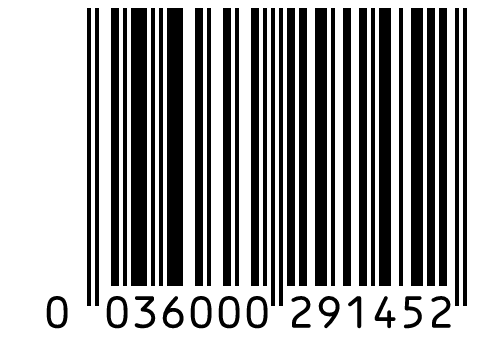
0: U.P.C. company prefixes: an EAN-13 starting with 0 carries a 12-digit UPC.
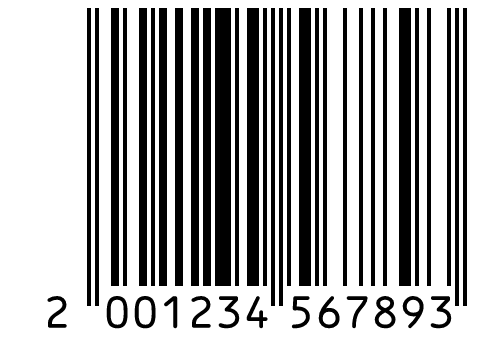
20 to 29: restricted circulation numbers for use inside a company or region, such as in-store weighed items.
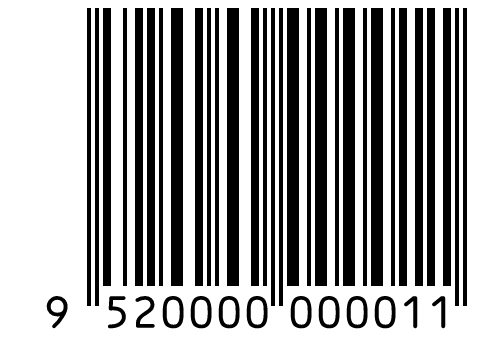
952: reserved for demonstrations and examples of the GS1 system.
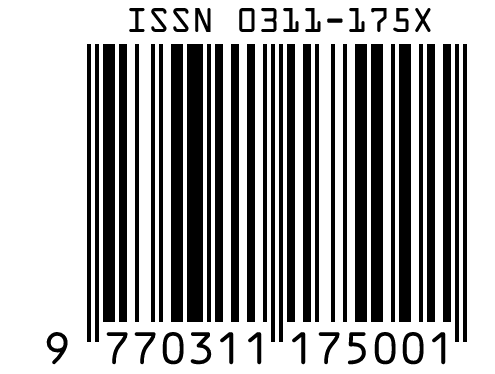
977: serial publications, built from an ISSN.
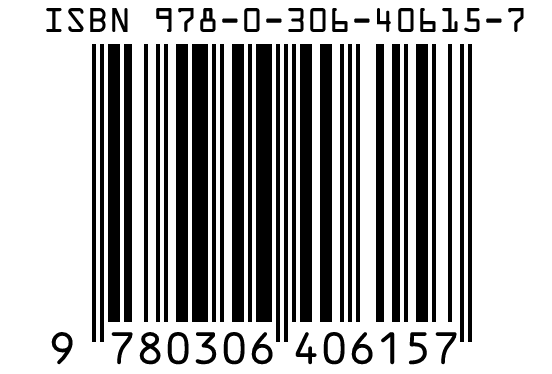
978 and 979: books (ISBN), with part of 979 used for printed music (ISMN).
Prefixes Do Not Mean Country of Origin
The GS1 General Specifications define a GS1 prefix as a range given to a GS1 member organization, which licenses company prefixes from it. The prefix records which GS1 office issued the number; nothing in it encodes where the product was made.
How the EAN-13 Check Digit Is Calculated
The 13th digit is a GS1 mod 10 check digit calculated from the first 12, the same rule as on a UPC.
A Worked Example
- Take the 12 digits 590123412345 and weight them 3 and 1 from the right: 3 × (9 + 1 + 3 + 1 + 3 + 5) + (5 + 0 + 2 + 4 + 2 + 4) = 83.
- The next multiple of 10 is 90.
- 90 − 83 = 7, so the full EAN-13 is 5901234123457.
EAN-13 or UPC-A?
Use the format your retailers expect: UPC-A in the United States and Canada, EAN-13 in most other countries.
Selling in the United States and Canada
Products sold in stores in the United States and Canada usually carry a UPC-A. A UPC-A has the same bars as an EAN-13 that starts with 0, so a scanner reads either way.
Selling in Other Countries
Most other countries use EAN-13 with a company prefix from their national GS1 organization. Check with your retailers if you sell in more than one market.
EAN vs UPC the full comparison and how to convert a UPC to an EAN-13.
Frequently Asked Questions
Is This EAN-13 Barcode Generator Free?
Yes, with no account, no watermark and no download limit. You may use the barcodes on commercial products.
Do I Need to Enter the Check Digit?
No. Type 12 digits and the 13th is calculated for you; type all 13 and the generator checks it and offers a fix if it is wrong.
When Should I Use EAN-8 Instead of EAN-13?
Only when the package is too small for an EAN-13 and you have a GTIN-8, which a GS1 member organization assigns individually. An EAN-13 number cannot simply be shortened to 8 digits.
Does the First Digit Show the Country of Origin?
No. The first digits are a GS1 prefix, which shows which GS1 organization issued the number. Nothing in the number encodes where the product was made.
Can an EAN-13 Have an Add-On?
Yes, a 2- or 5-digit add-on can follow an EAN-13, mostly on magazines and books. Scanners at the checkout may ignore it, so the main number must identify the product on its own.
Which File Should I Send to My Printer?
Send the SVG: it is a vector file with its print size in millimeters. If your printer asks for an image, send a PNG at their DPI.
Related Retail Barcode Tools
- UPC barcode generator
UPC-A and UPC-E for North America.
- ISBN barcode generator
The EAN-13 barcode for books.
- ISSN barcode generator for magazines
The EAN-13 barcode for serials.
- Read an EAN-13 from a photo
Check a barcode you already have.