Facebook QR Code Generator for Your Profile or Page
Make a Facebook QR code that opens your profile or Page: type your username or paste your link, and the code holds the address Facebook gives it, facebook.com/username, or your Messenger profile at m.me. Barcode.codes is not affiliated with Facebook or Meta, looks nothing up, and draws the code in your browser.
12.2 × 12.2 mm at 300 DPI
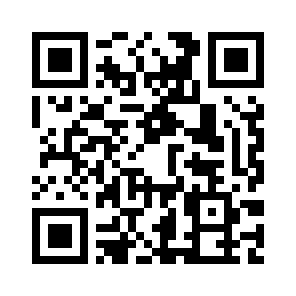
Scaled to fit. Actual size shows the print size on screen.
Print simulationNew
Shows how a worn print looks and tests it with the decoder.
Blue bars: the start, center and end guard patterns. Downloads stay in your chosen colors.
- Type
- QR Code · 2D
- Print size
- 12.2 × 12.2 mm
- Raster
- 148 × 148 px
- Symbol
- version 3, 29 × 29
- GS1 prefix
- Read back
Download
Vector drawing, 12.2 × 12.2 mm. Design and label programs place it at its print size.
More export optionsNewTest sheet · size set · embed code
Print test sheet (PDF)
The code at 80%, 100% and 150% with 100 mm and 4 in rulers. Print it at actual size and scan each copy before printing many.
Size set (ZIP)
Magnification
DPI
Embed code
How to Get a Facebook QR Code
Copy your username or link from Facebook, enter it here, check the link and download the code.
- Open your profile or Page on Facebook and copy the username from the address bar, or the whole link.
- Type the username or paste the link above, and choose whether the code opens Facebook or Messenger.
- Check the encoded link below the form, then download the code as SVG for print or PNG for screens.
- Scan a test print with a phone and check that it opens the right profile.
Facebook QR Code Fields
A Facebook QR code holds one link: your profile or Page address, or your Messenger profile, built from the username.
| Field | Required | Notes |
|---|---|---|
| Facebook username or link | Yes | Your username is shown in the address bar when you open your profile or Page. A full facebook.com link is used as it is. |
| Opens | No | One of: Your Facebook profile or Page; Your Messenger profile (m.me). |
| Encoded form | https://www.facebook.com/<username>, or https://m.me/<username> for Messenger |
|---|---|
| Example | https://www.facebook.com/janedoe3 |
| Special characters | None: a username has only the letters A-Z, the numbers 0-9 and periods |
| When scanned | It is a web link: readers open it, and the phone shows the profile or Page in the Facebook app or the browser |
| Checked before drawing | A typed username must use only letters, numbers and periods, the characters Facebook allows today. A pasted link must be on facebook.com or m.me and is kept exactly as pasted. |
| Read back by Barcode.codes | The Barcode.codes scanner shows the link in full with an Open button naming its host, facebook.com or m.me. |
| Standard | Facebook's own help pages: the username is the web address of a profile or Page at facebook.com/username, and the same username gives the Messenger profile at m.me/username. |
| Size of the example | The generator's example is 33 characters long: a version 3 QR code of 29 × 29 modules at error correction M. |
| Error correction | Choose L (about 7% of the code can be restored), M (about 15%, the default), Q (about 25%) or H (about 30%), as DENSO WAVE lists them; a higher level makes a larger code. |
Sources, checked 2026-10-09: Facebook Help Center: Find or change your username on Facebook; Facebook Help Center: How usernames and user IDs are used on Facebook profiles; ZXing: Barcode Contents.
Your Facebook Username and Link
Facebook uses your username as the web address of your profile, facebook.com/username, and the same username for your Messenger profile.
Finding Your Username
Log into Facebook and open your profile: Facebook says your username is shown in the address bar of your browser. You can change it in Accounts Center, under Profiles and then Username.
If You Change Your Username
Facebook says that changing your username also changes your profile URL and your Messenger URL. A printed code keeps the old address, so make a new one after a change; Facebook also warns you may not get the old username back.
A QR Code for a Facebook Page
A Page has its own username and web address, so the same steps give a code for it.
Facebook describes a username as the web address of a profile or Page, such as facebook.com/yourname, and Page admins can change a Page's username. Type the Page's username or paste the Page's link to make its code.
Follow Us on Facebook QR Codes
Print a short line next to the code, such as Follow us on Facebook, so people know where it leads before they scan.
The code from this page is plain black and white, with no Facebook logo: Barcode.codes is not affiliated with Facebook, so the words beside the code say what it opens. Print a test copy and scan it from the distance people will stand at.
Frequently Asked Questions
Is the Facebook QR Code Generator Free?
Yes. There is no account, watermark or download limit, and the code is drawn in your browser.
Does the Code Open the Facebook App?
The code holds a web link. The phone that scans it decides whether the link opens in the Facebook app or in the browser.
Can the Code Open Messenger Instead?
Yes. Choose Messenger profile: the code holds m.me/ followed by your username, the Messenger address Facebook gives for the same username.
What If My Profile Has No Username?
Facebook gives every profile a user ID, with or without a username. Open your profile, copy the whole link from the address bar and paste it here: the code keeps it exactly as copied.
Will the Code Work After I Change My Username?
The code keeps the address it was made with. Facebook says a new username also changes your profile URL, so make a new code after the change.
Is Barcode.codes Part of Facebook?
No. Barcode.codes is not affiliated with Facebook or Meta. The code is a plain QR code of your link, with no Facebook branding.
Related QR Code Generators
- QR code generator
Every QR content type on one page.
- Instagram QR code generator
A QR code for an Instagram profile.
- WhatsApp QR code generator
A chat with your number on WhatsApp.
- URL QR code generator
A QR code for any web link.