ISSN Barcode Generator
Make the EAN-13 barcode for a magazine, journal or other serial from its ISSN. Enter the ISSN and the two variant digits (00 for the normal title), add a 2- or 5-digit issue number if you use one, and download the barcode as SVG, PNG, PDF or EPS. Nothing is uploaded.
40.8 × 30.8 mm at 300 DPI
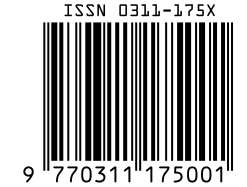
Scaled to fit. Actual size shows the print size on screen.
Print simulationNew
Shows how a worn print looks and tests it with the decoder.
Blue bars: the start, center and end guard patterns. Downloads stay in your chosen colors.
- Type
- ISSN · 1D
- Print size
- 40.8 × 30.8 mm
- Raster
- 495 × 374 px
- Modules
- 95 wide
- GS1 prefix
- Read back
Download
Vector drawing, 40.8 × 30.8 mm. Design and label programs place it at its print size.
More export optionsNewTest sheet · size set · embed code
Print test sheet (PDF)
The code at 80%, 100% and 150% with 100 mm and 4 in rulers. Print it at actual size and scan each copy before printing many.
Size set (ZIP)
Magnification
DPI
Embed code
How to Create a Magazine Barcode
Enter the ISSN with its variant digits, add the issue number if you use one, and download.
- Type the ISSN, such as 0311-175X; the dash and the variant 00 are added if you leave them out.
- Change the variant digits only if your publisher uses them, for example for a different price.
- Enter a 2-digit add-on for the issue number, or a 5-digit one if your distributor asks for it.
- Download SVG, PNG, PDF or EPS and check it with a scanner before printing the cover.
How an ISSN Becomes an EAN-13
The barcode is a 13-digit EAN-13 made from the prefix 977, the first seven digits of the ISSN, two variant digits and a new check digit.
The Parts of the Number
- 977: the GS1 prefix allocated to the ISSN International Centre for serials.
- Seven ISSN digits: the ISSN without its hyphen and without its own check character.
- Two variant digits: 00 for the normal title; other values for variants such as a price change.
- Check digit: a GS1 mod 10 check digit for the 13 digits, which replaces the ISSN's own.
A Worked Example
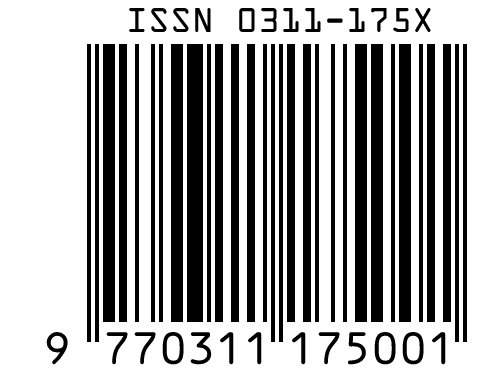
The ISSN 0311-175X with variant 00 gives 977 0311175 00 and the check digit 1, so the barcode carries 9770311175001. The X at the end of the ISSN is its own mod 11 check character and does not appear in the barcode.
ISSN Barcode Specifications
An ISSN barcode follows the GS1 retail rules for EAN-13, with the variant digits and add-on described by GS1 and the ISSN network.
| Property | ISSN (EAN-13 with prefix 977) |
|---|---|
| Digits | 13 digits: prefix 977, the 7 ISSN digits without the ISSN check digit, 2 variant digits and a GS1 check digit |
| Characters | Digits 0 to 9 in the barcode; the 8-character ISSN may end in X |
| Check digit | The ISSN itself: mod 11 on the first 7 digits (X stands for 10). The barcode: GS1 mod 10 |
| X-dimension (narrowest bar) | 0.33 mm (0.0130 in) standard; 0.264 to 0.66 mm allowed |
| Minimum bar height | 22.85 mm (0.900 in) at the standard X-dimension; 18.28 mm at the smallest and 45.7 mm at the largest |
| Quiet zone | 11 modules left, 7 modules right |
| Variant digits | Digits 11 and 12 are 00 for the normal title; publishers use them for variants such as a price change or different issues of a daily |
| Add-ons | A 2- or 5-digit add-on usually carries the issue number |
| Where the numbers come from | The ISSN network (ISSN International Centre and its national centres) |
| Example | 0311-175X 00 |
GS1 General Specifications §1.3.1.11 and §2.1.3.5 (pages 44 and 86); ISSN International Centre pages on the ISSN and the GTIN-13.
Sources, checked 2026-10-04: GS1 General Specifications, Release 26.0 (ratified January 2026); Identification with the GTIN 13 barcode (ISSN International Centre); What is an ISSN? (ISSN International Centre).
Issue Numbers, Prices and Dates
The add-on and the variant digits carry what changes from issue to issue; the ISSN itself stays the same.
Issue Numbers in the Add-On
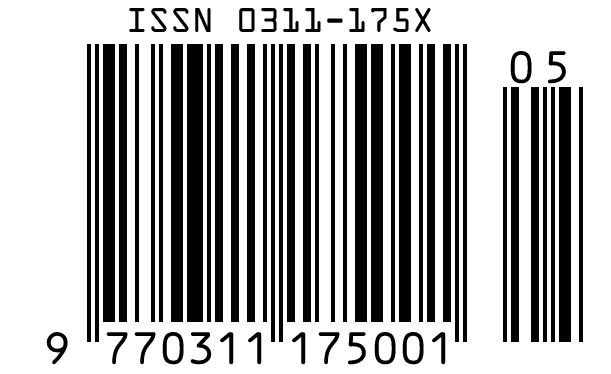
A 2- or 5-digit add-on after the main barcode usually carries the issue number. GS1 notes that reading the add-on at the checkout is optional, so the main barcode identifies the title on its own.
Price Variants
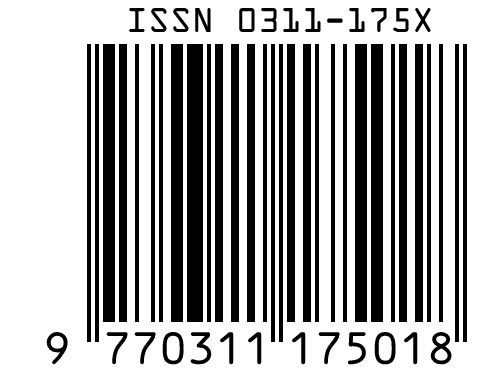
The variant digits can mark issues of the same title sold at a different price. Agree on their use with your distributor; most titles keep 00.
Where to Get an ISSN
ISSNs are assigned by the national centres of the ISSN network, which the ISSN International Centre coordinates.
The ISSN Check Character
The eighth character of an ISSN is a check digit calculated with a modulus 11 algorithm from the first seven, and it is X when the result is 10. The generator checks it and names the expected character when it is wrong.
Frequently Asked Questions
Is This ISSN Barcode Generator Free?
Yes. There is no account and no limit, and you may print the barcode on the publications you sell.
What Are the Two Digits After the ISSN?
They are the variant digits of the EAN-13. They are 00 for the normal title, and publishers use other values for variants such as a different price or different issues of a daily.
Why Is the X Missing From the Barcode?
The X is the ISSN's own check character. The barcode drops it and uses a GS1 check digit for all 13 digits instead.
Should the Issue Number Go in the Add-On?
Usually, yes: the add-on commonly carries the issue number, while the main barcode stays the same for the title. Ask your distributor which add-on length they read.
Can I Use a Normal EAN-13 Instead of an ISSN Barcode?
Yes. GS1 lists three options for serials: the ISSN with prefix 977, which it recommends, a regular GTIN-13 or GTIN-12, or a national system that includes the price.
How Do I Get an ISSN?
Apply to the ISSN national centre of the country where the serial is published; the ISSN International Centre lists them. The generator does not issue ISSNs.
Related Barcode Tools
- ISBN barcode generator for books
The EAN-13 barcode for books.
- EAN-13 barcode generator
For products and GTIN-13s.
- Read a magazine barcode from a photo
Including the add-on.