WiFi QR Code Generator
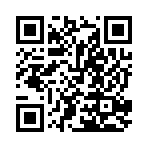
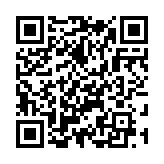
Make a free WiFi QR code so guests can join your network without typing the password. Enter the network name and password, choose the security type, and mark a hidden network. The password stays in your browser: it is only drawn into the code. Download SVG, PNG, PDF or EPS.
12.2 × 12.2 mm at 300 DPI
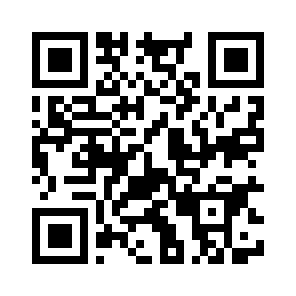
Scaled to fit. Actual size shows the print size on screen.
Print simulationNew
Shows how a worn print looks and tests it with the decoder.
Blue bars: the start, center and end guard patterns. Downloads stay in your chosen colors.
- Type
- QR Code · 2D
- Print size
- 12.2 × 12.2 mm
- Raster
- 148 × 148 px
- Symbol
- version 3, 29 × 29
- GS1 prefix
- Read back
Download
Vector drawing, 12.2 × 12.2 mm. Design and label programs place it at its print size.
More export optionsNewTest sheet · size set · embed code
Print test sheet (PDF)
The code at 80%, 100% and 150% with 100 mm and 4 in rulers. Print it at actual size and scan each copy before printing many.
Size set (ZIP)
Magnification
DPI
Embed code
How to Create a WiFi QR Code
Enter the network details exactly as your router shows them, then download and print the code.
- Type the network name (SSID) exactly, including capitals and spaces.
- Choose the security type and type the password; choose None for an open network.
- Tick Hidden network if your network does not broadcast its name.
- Download the code, print it, and test it with a phone before putting it up.
WiFi QR Code Fields
A Wi-Fi QR code holds the network name, the security type, the password and whether the network is hidden.
| Field | Required | Notes |
|---|---|---|
| Network name (SSID) | Yes | Free text. |
| Security | No | One of: WPA or WPA2 (most networks); WEP (old networks); None (open network). |
| Password | No | The password stays in your browser: it is only drawn into the QR code, never sent anywhere. |
| Hidden network | No | Tick this if the network does not broadcast its name. |
| Encoded form | WIFI:T:<security>;S:<network name>;P:<password>;H:true;; |
|---|---|
| Example | WIFI:T:WPA;S:Cafe Guest;P:coffee-2026;; |
| Special characters | A backslash before \ ; , " and : in the name and password; a name or password that could be read as hex goes in double quotes |
| When scanned | Readers ask before joining the network; ZXing lists Android and iOS 11 or later |
| Checked before drawing | The network name is required. A password is required unless the security type is None, and an open network's code leaves the password out entirely. |
| Read back by Barcode.codes | The Barcode.codes scanner names the network, the security type, the password and whether the network is hidden. |
| Standard | The WIFI: syntax proposed in ZXing's Barcode Contents, modeled on the MECARD contact format. |
| Size of the example | The generator's example is 39 characters long: a version 3 QR code of 29 × 29 modules at error correction M. |
| Error correction | Choose L (about 7% of the code can be restored), M (about 15%, the default), Q (about 25%) or H (about 30%), as DENSO WAVE lists them; a higher level makes a larger code. |
Sources, checked 2026-10-04: ZXing: Barcode Contents.
How a WiFi QR Code Works
The code holds the network details in the WIFI: format that ZXing documented, and a phone that recognizes it asks before joining.
Special Characters
A backslash goes before \ ; , " and : in the name and password, and a name or password that could be read as hex is put in double quotes. The generator does this for you, and the Encoded content shows the result.
Phones That Read It
ZXing lists Android and iOS 11 or later as reading this format. On an iPhone, the Camera app reads QR codes: hold it over the code and tap the notification that appears. Control Center also has a Code Scanner.
Is a WiFi QR Code Safe?
The password is written in the code in plain text, so anyone who scans it, or reads it with a scanner app, can see it.
Good Practice
- Guest network: share a guest network, not the one your own devices use.
- Placement: put the code where only your guests can scan it.
- Password changes: print a new code whenever you change the password.
Why a WiFi QR Code Does Not Connect
Most failures come from a detail that differs from the router's settings.
What to Check
Network name: names are case-sensitive: Cafe Guest is not cafe guest.
Security type: choose WEP only for old WEP networks; most networks use WPA or WPA2.
Hidden networks: tick Hidden network if the name is not broadcast.
Frequently Asked Questions
Is My WiFi Password Sent Anywhere?
No. The code is built and drawn in your browser; the password is only written into the QR code itself.
Does a WiFi QR Code Work on iPhone?
ZXing lists iOS 11 or later as reading Wi-Fi codes, and the iPhone Camera reads QR codes. Test your printed code with the phones your guests use.
What If My Network Uses WPA3?
The format has a WPA type for WPA and WPA2 networks. Test the code with your own devices before relying on it for a WPA3-only network.
Do I Need a New Code When I Change the Password?
Yes. The password is in the code, so the old code stops working when the password changes.
Can I Make a Code for an Open Network?
Yes. Choose None as the security type; the code then holds only the network name.
Is the WiFi QR Code Generator Free?
Yes, with no account, watermark or download limit.
Related QR Code Generators
- QR code generator
Every QR content type on one page.
- URL QR code generator
A code for your website.
- QR code scanner
Test the code before you print it.