PayPal QR Code Generator for Your PayPal.Me Link
Make a PayPal QR code that opens your PayPal.Me link, paypal.me/YourName, with an amount if you want one, so people can send you money on PayPal's own page. Barcode.codes is not affiliated with PayPal, handles no payments and sees no account: the code holds only your link and is drawn in your browser.
12.2 × 12.2 mm at 300 DPI
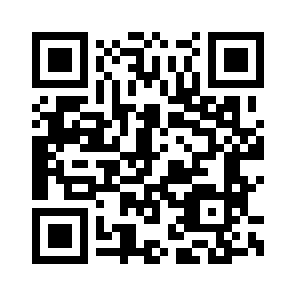
Scaled to fit. Actual size shows the print size on screen.
Print simulationNew
Shows how a worn print looks and tests it with the decoder.
Blue bars: the start, center and end guard patterns. Downloads stay in your chosen colors.
- Type
- QR Code · 2D
- Print size
- 12.2 × 12.2 mm
- Raster
- 148 × 148 px
- Symbol
- version 3, 29 × 29
- GS1 prefix
- Read back
Download
Vector drawing, 12.2 × 12.2 mm. Design and label programs place it at its print size.
More export optionsNewTest sheet · size set · embed code
Print test sheet (PDF)
The code at 80%, 100% and 150% with 100 mm and 4 in rulers. Print it at actual size and scan each copy before printing many.
Size set (ZIP)
Magnification
DPI
Embed code
How to Generate a PayPal QR Code
Copy your PayPal.Me name, enter it with an optional amount, check the link and download the code.
- Find your PayPal.Me link in your PayPal account settings, or create one at PayPal.Me.
- Type the name after paypal.me/, or paste the whole link.
- Add a whole amount and a currency code if you want to request a set sum.
- Check the link, download the code, and scan a test print: it should open your PayPal.Me page.
PayPal QR Code Fields
A PayPal QR code holds your PayPal.Me link and, if you add them, an amount and a currency code.
| Field | Required | Notes |
|---|---|---|
| PayPal.Me name or link | Yes | The name after paypal.me/ in your link, shown in your PayPal account settings: letters and numbers only, up to 20. |
| Amount | No | Optional: a whole amount, such as 25. PayPal requests it in your default currency unless you add a currency code. |
| Currency code | No | Optional: three letters, such as AUD, written after the amount. |
| Encoded form | https://paypal.me/<name>, optionally followed by /<amount> and a currency code |
|---|---|
| Example | https://paypal.me/DiaRusso/25 |
| Special characters | None: the name has only letters and numbers, the amount only digits |
| When scanned | It is a web link: readers open the PayPal.Me page, where the payer types or checks the amount and sends the money |
| Checked before drawing | The name must be letters and numbers only, up to 20, as PayPal requires. The amount must be a whole number and the optional currency code three letters after it. A pasted paypal.me link is split into these fields. |
| Read back by Barcode.codes | The Barcode.codes scanner shows the link in full with an Open button naming its host, paypal.me. |
| Standard | PayPal's help page (US): a PayPal.Me link is paypal.me/ followed by your name, not case sensitive; adding /25 requests 25.00 in your default currency, and /25AUD requests Australian dollars. |
| Size of the example | The generator's example is 29 characters long: a version 3 QR code of 29 × 29 modules at error correction M. |
| Error correction | Choose L (about 7% of the code can be restored), M (about 15%, the default), Q (about 25%) or H (about 30%), as DENSO WAVE lists them; a higher level makes a larger code. |
Sources, checked 2026-10-09: PayPal Help (US): PayPal.Me frequently asked questions; ZXing: Barcode Contents.
Receive Money With a PayPal QR Code
The code opens your PayPal.Me page, where the payer types the amount, or sees the one in the link, and sends the money.
What the Payer Needs
PayPal says payers do not need your email address or phone number, or even the PayPal app: they open the link, type the amount and send. PayPal.Me must be available in their country or region.
Requesting a Set Amount
PayPal says adding /25 to the link requests 25.00 in your default currency, and /25AUD requests Australian dollars. Some countries limit the currencies they can send, so check with the payer before printing a code with a currency.
Your PayPal.Me Name
A PayPal.Me link cannot be changed once it is created and does not expire, so a code made from it keeps its address.
- Characters: letters A-Z and numbers 0-9, with no symbols, dashes or spaces.
- Length: at most 20 characters.
- Letter case: not case sensitive, though capitals can make the name easier to read.
- One link: one PayPal.Me link per PayPal account.
You can turn your link off in PayPal.Me, which stops people sending money through it. A printed code then opens a link that takes no payments until you turn it on again.
A Plain QR Code, Not a PayPal Code
The code from this page is an ordinary black and white QR code of your link, with no PayPal logo or colors, and it is not made or checked by PayPal.
Print a line beside it saying what it opens, such as Pay me with PayPal.Me, and keep the link itself visible, so payers can check the address before they pay.
What is quishing explains why payers should check a payment link before they pay.
Frequently Asked Questions
Is the PayPal QR Code Generator Free?
Yes. There is no account, watermark or download limit, and the code is drawn in your browser.
Does Barcode.codes See My Payments?
No. The code holds only your PayPal.Me link; the payment happens on PayPal's page, between the payer and PayPal.
Can I Change My PayPal.Me Link Later?
PayPal says a PayPal.Me link cannot be changed or deleted once it is created, though you can turn it off and on. A code made from it keeps working while the link is on.
Can the Code Ask for a Specific Amount?
Yes. Enter a whole amount, and a currency code if you want one: the link then ends in /25 or /25AUD, and PayPal requests that amount.
Does the Payer Need the PayPal App?
PayPal says payers do not need the app: they open the link, type the amount and send. They can set up a PayPal account if they need one.
Can a Business Account Use PayPal.Me?
Yes. PayPal says PayPal.Me is open to all account types, but business accounts can only accept Goods and Services payments.
Related QR Code Generators
- QR code generator
Every QR content type on one page.
- URL QR code generator
A QR code for any web link.
- QR code checker
Read a QR code's link without opening it.
- Bulk QR code generator
Many QR codes from a list of links.