QR Code Generator
Make a free QR code for a link, Wi-Fi network, contact card, email, phone number, text message, WhatsApp chat, Google review link, event or map location. Fill in the form, see exactly what the code holds, set error correction, size and colors, and download SVG, PNG, PDF or EPS. No account needed.
10.9 × 10.9 mm at 300 DPI
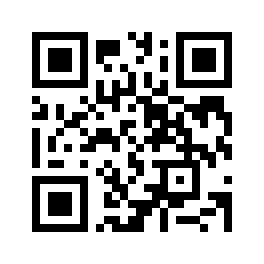
Scaled to fit. Actual size shows the print size on screen.
Print simulationNew
Shows how a worn print looks and tests it with the decoder.
Blue bars: the start, center and end guard patterns. Downloads stay in your chosen colors.
- Type
- QR Code · 2D
- Print size
- 10.9 × 10.9 mm
- Raster
- 132 × 132 px
- Symbol
- version 2, 25 × 25
- GS1 prefix
- Read back
Download
Vector drawing, 10.9 × 10.9 mm. Design and label programs place it at its print size.
More export optionsNewTest sheet · size set · embed code
Print test sheet (PDF)
The code at 80%, 100% and 150% with 100 mm and 4 in rulers. Print it at actual size and scan each copy before printing many.
Size set (ZIP)
Magnification
DPI
Embed code
How to Make a QR Code
Choose what the code should do, fill in the form, check the encoded content, and download the file.
- Choose a content type: website, Wi-Fi, contact, email, phone, SMS, WhatsApp, Google review, event or location.
- Fill in the form; the Encoded content box shows exactly what the QR code will hold.
- Set the error correction, the size of a module and the colors, and check the print size.
- Download SVG, PNG, PDF or EPS and scan a test print with a phone before printing many.
QR Code Types
Each content type is written in a format that phones recognize; each one has its own page with its fields and common mistakes.
Website Link
URL QR code generator Opens a web page in the browser.
WiFi Network
WiFi QR code generator Lets guests join your network without typing the password.
Contact Card
vCard QR code generator Adds your name, phone, email and address to a phone's contacts.
Plain Text
Text QR code generator Shows a message on screen.
Email QR code generator Opens a new email with the address, subject and message filled in.
Phone Call
Phone number QR code generator Opens the dialer with your number.
Text Message
SMS QR code generator Opens a new text message to your number.
WhatsApp Chat
WhatsApp QR code generator Starts a WhatsApp chat with you, with a message ready.
Google Review
Google review QR code generator Opens your Google review form.
Profiles, Payment Links and Music
These pages build a platform's own link from a username, or check a pasted link, and draw it as a plain QR code. Barcode.codes is not affiliated with these platforms.
Facebook QR code generator Opens a Facebook profile or Page, or a Messenger profile.
Instagram QR code generator Opens an Instagram profile.
LinkedIn QR code generator Opens a LinkedIn profile.
YouTube QR code generator Opens a YouTube channel, video or playlist.
Spotify QR code generator Opens a song, album, playlist, podcast or profile on Spotify.
PayPal QR code generator Opens a PayPal.Me link to receive money.
Calendar Events and Map Locations
Choose Event or Location in the generator above. An event is written as an iCalendar VEVENT with its title, times and place, and a location as a geo URI with latitude and longitude.
Static QR Codes: Free, No Sign-Up and No Expiry
Every code made here is static: the content is written into the code itself, so it works for as long as the content does, with no account and no subscription.
What Static Means
- No expiry: the code does not depend on Barcode.codes, so it cannot be switched off.
- No tracking: scans go straight to the link or action; nobody counts them.
- No editing after printing: to change the content, make and print a new code.
No Sign-Up
The generator runs in your browser: there is no account, watermark or download limit, and the codes may be used commercially. What you type is not sent to a server.
QR Code Error Correction
Error correction lets a QR code be read when part of it is dirty or damaged; QR Code has four levels, and higher levels make the code larger.
| Level | Share of the code that can be restored |
|---|---|
| L | About 7% |
| M | About 15% |
| Q | About 25% |
| H | About 30% |
Which Level to Choose
Level M is the generator's default and, according to DENSO WAVE, the most frequently selected. Choose Q or H for codes that may get dirty or scratched, and L for long content in a clean place.
QR Code Size and Printing
A QR code has 21 × 21 to 177 × 177 modules, versions 1 to 40, and needs a blank margin of four modules around it.
Version and Module Size
The generator picks the smallest version that holds your content and shows it under the encoded content. Above version 10 it warns that the code is dense; print it larger or shorten the content.
Colors and Contrast
Dark modules on a light background read best. The generator estimates the symbol contrast of your colors and refuses colors that are too similar, below the 20% that GS1 sets as the minimum passing grade.
Frequently Asked Questions
Is This QR Code Generator Really Free?
Yes. There is no account, watermark, subscription or download limit, and the codes may be used commercially.
Do the QR Codes Expire?
No. They are static codes: the content is in the code itself, so it works as long as the content does, such as your website or Wi-Fi password.
Can I Edit a QR Code After Printing It?
No. A static code cannot be changed; make a new one. To change where a code leads without reprinting, point it at a page on your own website that you can update.
Can I See How Many People Scanned My Code?
Not from Barcode.codes: the codes are not tracked. If the code opens your website, your site's own analytics can count those visits.
What Size Should a QR Code Be?
It depends on the version and the scanning distance. Check the print size under the settings, keep the four-module margin, and test a print with a phone.
Is My Data Sent Anywhere?
No. The code is drawn in your browser, and what you type stays on your device. The site only records anonymous page visits, as the privacy policy explains.
Related Barcode Tools
- QR code scanner
Scan a QR code with your camera.
- QR code reader
Read a QR code from a picture.
- QR code to barcode
Turn a QR code's content into another barcode.
- Micro QR code generator
A smaller QR code for short data.
- Bulk QR code generator
QR codes from a list, CSV or Excel file, or serial numbers.
- QR code generator with logo
Your logo in the middle of a QR code, checked to scan.
- Custom QR code generator
Colors, module shapes, eye styles and a logo.