Barcode API: Free Barcode Images From a URL
The Barcode.codes barcode API turns a URL into a barcode file: choose any of the generator's 23 types and its options, and get SVG, PNG, WebP, JPEG, PDF or EPS for an <img> tag, a document or your code. It needs no key and draws with the generator's own code. It renders images only and looks nothing up.
10.9 × 10.9 mm at 300 DPI
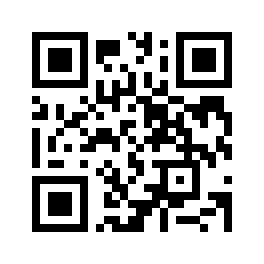
Scaled to fit. Actual size shows the print size on screen.
Print simulationNew
Shows how a worn print looks and tests it with the decoder.
Blue bars: the start, center and end guard patterns. Downloads stay in your chosen colors.
- Type
- QR Code · 2D
- Print size
- 10.9 × 10.9 mm
- Raster
- 132 × 132 px
- Symbol
- version 2, 25 × 25
- GS1 prefix
- Read back
Download
Vector drawing, 10.9 × 10.9 mm. Design and label programs place it at its print size.
More export optionsNewTest sheet · size set · embed code
Print test sheet (PDF)
The code at 80%, 100% and 150% with 100 mm and 4 in rulers. Print it at actual size and scan each copy before printing many.
Size set (ZIP)
Magnification
DPI
Embed code
How to Make a Barcode From a URL
Set up the barcode in the panel above, choose the format under Download, and copy the API request: the URL draws that exact file.
- Choose the barcode type and enter your data; the panel checks it as the generator does.
- Set the options you need, such as the size, colors, text or a QR design, and the format and DPI under Download.
- Copy the URL, or the HTML, Markdown or cURL snippet, from the API request card.
- Use the URL as the src of an <img> tag or fetch it from your code: the same URL always returns the same file, cached for a year.
Barcode Types the API Draws
The API draws all 23 barcode types of the generator with the same encoder and checks; each type has a limit on the data, so every image draws quickly.
Product Barcodes
- UPC-A (upca): 11 digits, or 12 with the check digit; up to 12 characters.
- UPC-E (upce): 7 digits, or 8 with the check digit, starting with 0 or 1; up to 8 characters.
- EAN-13 (ean13): 12 digits, or 13 with the check digit; up to 13 characters.
- EAN-8 (ean8): 7 digits, or 8 with the check digit; up to 8 characters.
- ISBN (isbn): an ISBN-13 or ISBN-10, with or without hyphens; up to 17 characters.
- ISSN (issn): the ISSN, a space and the 2-digit issue variant; up to 13 characters.
- ISMN (ismn): an ISMN with its hyphens; up to 17 characters.
- ITF-14 (itf14): 13 digits, or 14 with the check digit; up to 14 characters.
GS1 Barcodes
- GS1 Digital Link QR (gs1dlqrcode): a GS1 Digital Link URI; up to 300 characters.
- GS1 DataMatrix (gs1datamatrix): GS1 element strings in brackets, such as (01)…(17)…; up to 300 characters.
- GS1-128 (gs1-128): GS1 element strings in brackets; up to 150 characters.
Barcodes for Your Own Data
- Code 128 (code128): ASCII text; up to 80 characters.
- Code 39 (code39): A to Z, 0 to 9, space and - . $ / + %; up to 43 characters.
- Code 39 Full ASCII (code39ext): ASCII text; up to 43 characters.
- Code 93 (code93): A to Z, 0 to 9, space and - . $ / + %; up to 80 characters.
- Code 93 Full ASCII (code93ext): ASCII text; up to 80 characters.
- Interleaved 2 of 5 (interleaved2of5): digits; up to 30 characters.
2D Codes
- QR Code (qrcode): any text, such as a web address; up to 300 characters.
- Data Matrix (datamatrix): any text; up to 300 characters.
- PDF417 (pdf417): any text; up to 300 characters.
- Aztec (azteccode): any text; up to 300 characters.
- Micro QR Code (microqrcode): short data, up to 35 digits (M4); up to 35 characters.
- MaxiCode (maxicode): up to 93 characters of text, or 138 digits; up to 138 characters.
Barcode Image Formats: SVG, PNG, PDF and More
End the path with the format: .svg, .png, .webp, .jpg, .pdf or .eps; every format is drawn from the same drawing, the one the generator downloads.
| Format | What You Get |
|---|---|
| .svg (SVG) | Vector drawing with its print size in millimeters as width and height; the smallest file, sharp at any size. |
| .png (PNG) | Pixels at the dpi you choose, whole printer dots per module, with the DPI written in the file. |
| .webp (WebP) | Pixels as PNG, in a smaller file; WebP has no DPI field, so set the print size where you print. |
| .jpg (JPEG) | Pixels on the background color (JPEG has no transparency), with the DPI written in the file. |
| .pdf (PDF) | Vector PDF with the page cut to the code; label text in Helvetica. |
| .eps (EPS) | Vector EPS (PostScript Level 3) for print shops and older design programs. |
PNG, WebP and JPEG are drawn at the dpi parameter (300 by default), so each module is a whole number of printer dots. An image may have at most 4 million pixels; an SVG at most 256 KB and a PDF or EPS at most 1 MB.
Request Parameters
Every option of the generator is a query parameter; a parameter that does not apply to the type, or a value out of range, is refused with an error, so a typo never draws the wrong image.
Options left at their defaults are left out of the API request card's URL, and the API answers with that one canonical URL in its Link header.
OpenAPI description the same endpoint, parameters and errors as an OpenAPI 3.1 document.
Size Parameters
| Parameter | Applies To | Values | Default |
|---|---|---|---|
| x | all types | 0.1 to 3 mm, up to 4 decimals | the type's standard: 0.33 mm for UPC and EAN, 0.495 mm for ITF-14 and GS1-128, 0.85 mm for MaxiCode, 0.33 mm for the others |
| height | 1D types | 1 to 200 mm, up to 2 decimals | the type's standard: 22.85 mm for UPC and EAN (18.23 for EAN-8), 31.75 mm for ITF-14 and GS1-128, 15 mm for the others |
| bwr | all types | 0 to 0.5 mm, up to 4 decimals | 0 |
| qz | all types | 0 to 50 modules, one value or four | the type's minimum: UPC-A 9 left and right, EAN-13 11 and 7, other 1D codes 10, 2D codes 4 |
Text Under the Bars
| Parameter | Applies To | Values | Default |
|---|---|---|---|
| hri | 1D types | true or false | true |
| hrisize | 1D types except UPC, EAN, ISBN, ISSN and ISMN | 4 to 36 pt, whole numbers | 10 |
| hrialign | 1D types except UPC, EAN, ISBN, ISSN and ISMN | left, center, right, justify | center |
| hrifont | 1D types except UPC, EAN, ISBN, ISSN and ISMN | ocrb, sans | ocrb |
Type Options
| Parameter | Applies To | Values | Default |
|---|---|---|---|
| addon | UPC-A, UPC-E, EAN-13, EAN-8, ISBN, ISSN, ISMN | 2 or 5 digits, or empty | empty |
| check | Code 39, Code 39 Full ASCII, Interleaved 2 of 5 | true or false | false |
| set | Code 128 | auto, A, B, C | auto |
| fnc | Code 128 | true or false | false |
| bearer | ITF-14 | frame-2x, frame-plate, none | frame-2x |
| ecc | QR Code | L, M, Q, H | M |
| qrversion | QR Code | auto, or 1 to 40 | auto |
| dmshape | Data Matrix | square, rectangle | square |
| dmsize | Data Matrix | auto, or a size such as 10x10 (square) or 8x18 (rectangle) | auto |
| pdfcols | PDF417 | 0 to 30, whole numbers | 0 |
| pdfrows | PDF417 | 0, or 3 to 90 | 0 |
| pdfec | PDF417 | auto, or 0 to 8 | auto |
| pdfcompact | PDF417 | true or false | false |
| aztecformat | Aztec Code | full, compact | full |
| azteclayers | Aztec Code | 0 to 32, whole numbers | 0 |
| aztecec | Aztec Code | 5 to 95 %, whole numbers | 23 |
| mqrversion | Micro QR Code | auto, M1, M2, M3, M4 | auto |
| mqrec | Micro QR Code | L, M, Q | L |
| maximode | MaxiCode | auto, 4, 5 | auto |
Color Parameters
| Parameter | Applies To | Values | Default |
|---|---|---|---|
| fg | all types | six hex digits, without # | 000000 |
| bg | all types | six hex digits, without # | FFFFFF |
QR Code Design and Link Tracking
| Parameter | Applies To | Values | Default |
|---|---|---|---|
| module | QR Code | square, rounded, dots | square |
| eyeframe | QR Code | square, rounded, circle | square |
| eyeball | QR Code | square, rounded, circle | square |
| gradient | QR Code | six hex digits without #, or none | none |
| eyecolor | QR Code | six hex digits without #, or none | none |
| cta | QR Code | text, at most 24 characters | empty |
| ctastyle | QR Code with cta | bar, box | bar |
| ctacolor | QR Code with cta | six hex digits, without # | 000000 |
| utm_source | QR Code with an http or https address | text, at most 100 characters | empty |
| utm_medium | QR Code with an http or https address | text, at most 100 characters | empty |
| utm_campaign | QR Code with an http or https address | text, at most 100 characters | empty |
| utm_term | QR Code with an http or https address | text, at most 100 characters | empty |
| utm_content | QR Code with an http or https address | text, at most 100 characters | empty |
Labels, Margin, Border and Rotation
| Parameter | Applies To | Values | Default |
|---|---|---|---|
| above | all types | text, at most 80 characters | empty |
| below | all types | text, at most 80 characters | empty |
| labelsize | all types | 4 to 48 pt, whole numbers | 9 |
| labelfont | all types | sans, mono | sans |
| labelalign | all types | left, center, right | center |
| margin | all types | 0 to 50 mm, up to 1 decimals | 0 |
| border | all types | 0 to 10 mm, up to 1 decimals | 0 |
| radius | all types | 0 to 50 mm, up to 1 decimals | 0 |
| bordercolor | all types | six hex digits, without # | 000000 |
| rotate | all types | 0, 90, 180, 270 | 0 |
| transparent | all types | true or false | false |
Output Resolution
| Parameter | Applies To | Values | Default |
|---|---|---|---|
| dpi | all types, PNG, WebP and JPEG | 72 to 1200 DPI, whole numbers | 300 |
Checking That a Barcode Image Scans
Add readback=true and the API reads the drawing back with the decoder before answering, and says in the X-Barcode-Readback header whether it read the exact data.
- match: the decoder read exactly the data in the URL.
- mismatch: it read other data, which the header quotes.
- fail: it could not read the drawing.
A styled QR Code (another module shape, eye shape, gradient, eye color or a call-to-action frame) is always read back, and the API refuses it with 422 does_not_scan if it does not read, as the generator refuses to save it. The read-back checks the drawing, not your printer: scan a test print before you print many.
Errors and Status Codes
A request the API cannot draw gets a JSON answer with the HTTP status, a code, a message that says what to change and, when it applies, the parameter at fault.
| Status and Code | Meaning |
|---|---|
| 400 unknown_format | The path does not end in a format the API writes: .svg, .png, .webp, .jpg, .pdf, .eps. |
| 400 empty_data | There is no data between the type and the format. |
| 400 data_too_long | The data is longer than the type allows. |
| 400 invalid_data | The type cannot encode the data, with the reason, such as a wrong check digit or GS1 data the GS1 Barcode Syntax Engine refuses. |
| 400 unknown_parameter | A query parameter that the API does not know. |
| 400 invalid_parameter | A parameter with a value outside its range, one that does not apply to the type or format, or colors with too little contrast. |
| 400 too_large | The file would be too large: an SVG over 256 KB, a PDF or EPS over 1 MB, or an image over 4 million pixels. |
| 404 unknown_type | A barcode type the API does not draw. |
| 404 not_found | A path that is not /render/{type}/{data}.{format}. |
| 405 method_not_allowed | A method other than GET, HEAD or OPTIONS. |
| 414 path_too_long | The path or the query is longer than 1200 characters. |
| 422 does_not_scan | A styled QR Code that the decoder does not read back as the data; the generator refuses to save it too. |
| 429 rate_limited | More than 120 new images from one address in a minute; wait a minute. |
| 500 render_failed | The drawing failed for another reason; the message says why. |
{"error":{"status":400,"code":"invalid_data","message":"The check digit should be 7. Leave it out and it is added, or correct it.","parameter":"data"}}Is the Barcode API Free?
Yes: there is no key, no account and no charge, and it answers cross-origin requests, so a page on any site can load its images.
Caching and Limits
A file is the same for the same URL, so it is cached for a year in your browser and at Cloudflare. Each address may draw 120 new images a minute; cached images do not count, and a request over the limit gets 429 with Retry-After: 60.
What the API Does Not Do
It draws barcode images and nothing else: it does not look products up or issue barcode numbers. To find what a barcode number means, use the barcode lookup in your browser.
Using It as a QR Code API
For a QR code, use the type qrcode with the text or web address as the data; ecc sets the error correction, and the design parameters style it.
A QR code takes up to 300 characters here, which covers web addresses and Wi-Fi details. Use ecc=H for a code that may get scratched; module, eyeframe, eyeball, gradient, eyecolor and cta style it, and every styled code is read back before it is returned.
A logo is not part of the API, because the image would have to travel with every request. Add one in the QR code designer, which keeps it in your browser.
<img src="https://barcode.codes/render/qrcode/https%3A%2F%2Fbarcode.codes%2F.png?ecc=H&module=dots&dpi=600" alt="QR code: https://barcode.codes/">QR code designer a styled QR code with your logo, checked before download.
Examples in HTML, JavaScript, PHP and cURL
The API is a plain GET request, so any language or tool that loads a URL can use it; these examples are run against the API in the site's tests.
<img src="https://barcode.codes/render/ean13/590123412345.svg" alt="EAN-13 5901234123457">const data = 'BC-2026-0042';
const url = `https://barcode.codes/render/code128/${encodeURIComponent(data)}.png?height=20&dpi=600`;
document.querySelector('img').src = url;$data = rawurlencode('https://barcode.codes/');
file_put_contents('qr.png', file_get_contents("https://barcode.codes/render/qrcode/{$data}.png"));curl -o upc.pdf https://barcode.codes/render/upca/03600029145.pdfA JavaScript Barcode Generator for Your Site
The <barcode-code> element draws a barcode in your visitor's browser from a type and a value, with the generator's encoder and checks; the barcode data is never sent to Barcode.codes.
<script type="module" src="https://barcode.codes/sdk/1.0.0/barcode-element.js"></script>
<barcode-code type="ean13" value="590123412345"></barcode-code><barcode-code type="qrcode" value="https://barcode.codes/" scale="4" color="1d4ed8" alt="QR code to Barcode.codes"></barcode-code>Attributes
- type: one of the generator's 23 types: qrcode, gs1dlqrcode, datamatrix, gs1datamatrix, upca, upce, ean13, ean8, isbn, issn, ismn, code128, gs1-128, code39, code39ext, code93, code93ext, interleaved2of5, itf14, pdf417, azteccode, microqrcode and maxicode.
- value: the data, checked as the generator checks it; a missing check digit is added.
- scale: pixels per module, 1 to 10 (2 if left out); the barcode never grows wider than its container.
- height: the bar height in millimeters, for linear barcodes.
- text: "false" hides the digits under a linear barcode.
- color and background: six hex digits, such as 1d4ed8; colors below 20% estimated contrast are refused, as in the generator.
- alt: the accessible name; without it, the name is the type and the value, such as "EAN-13: 590123412345".
Errors and Events
Invalid data shows the generator's message in the element, as an alert screen readers announce, and the element fires barcode-error with the type, the value and the message. A drawn barcode fires barcode-render; changing an attribute draws the barcode again.
Size, Styles and Versions
The element's core is under 20 KB compressed, and each barcode type is a separate file loaded the first time a page uses it. It draws inside a shadow root, so your page's CSS cannot change the bars. The files under /sdk/1.0.0/ never change and are cached for a year; /sdk/barcode-element.js always loads the latest version and is cached for five minutes.
License
The element is free under the MIT License, copyright Barcode.codes; the barcode encoders come from bwip-js, also under the MIT License. There is no npm package: load the script from Barcode.codes or copy the files to your own site.
License text the MIT License of the element and the notices of bwip-js and its font.
Frequently Asked Questions
Do I Need an API Key?
No. There is no key and no account: a GET request to the URL returns the file, from any site or program.
Can the API Return PNG Instead of SVG?
Yes. End the path with .png, .webp or .jpg for an image at the dpi you set, or .pdf or .eps for a vector file. Each is the file the generator downloads with the same settings.
Does the API Find Products by Barcode?
No. It turns data into a barcode image and returns nothing about products. The barcode lookup explains what a number means, in your browser.
How Long Is an Image Cached?
A year: the same URL always draws the same file, so browsers and Cloudflare keep it. A changed option or data is a new URL and a new file.
Is the Data I Send Stored?
The API stores nothing: it draws the file and returns it. Your data is part of the URL, so it is kept with the cached file and can appear in the logs of servers that handle the request; do not put personal data in it.
What Happens If I Send Too Many Requests?
After 120 new images in a minute from one address, the API answers 429 with Retry-After: 60 until the minute is over. Files already drawn keep loading from the cache.
Related Barcode Tools
- Barcode generator
Make a barcode by hand, with every option and print sizes.
- Bulk barcode generator
Thousands of barcodes from a spreadsheet, in your browser.
- QR code designer
A styled QR code with your logo.
- Barcode label generator
Print barcodes on label sheets.