Text QR Code Generator
Make a free QR code that holds plain text, such as a message, a serial number or short instructions. The text is written into the code exactly as you type it, line breaks included, and phones show it on screen when scanned. Set the size and colors, then download SVG, PNG, PDF or EPS.
10.9 × 10.9 mm at 300 DPI
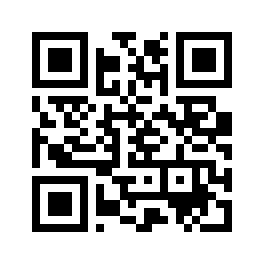
Scaled to fit. Actual size shows the print size on screen.
Print simulationNew
Shows how a worn print looks and tests it with the decoder.
Blue bars: the start, center and end guard patterns. Downloads stay in your chosen colors.
- Type
- QR Code · 2D
- Print size
- 10.9 × 10.9 mm
- Raster
- 132 × 132 px
- Symbol
- version 2, 25 × 25
- GS1 prefix
- Read back
Download
Vector drawing, 10.9 × 10.9 mm. Design and label programs place it at its print size.
More export optionsNewTest sheet · size set · embed code
Print test sheet (PDF)
The code at 80%, 100% and 150% with 100 mm and 4 in rulers. Print it at actual size and scan each copy before printing many.
Size set (ZIP)
Magnification
DPI
Embed code
How to Make a Text QR Code
Type the text, check the encoded content, and download the code.
- Type or paste the text; line breaks are kept.
- Check the version under the encoded content; long text makes a dense code.
- Set the size and colors and download SVG, PNG, PDF or EPS.
- Scan a test print to check the text reads correctly.
Text QR Code Fields
A text QR code holds one field: the text, exactly as typed.
| Field | Required | Notes |
|---|---|---|
| Text | Yes | Any text. Phones show it on screen when the code is scanned. |
| Encoded form | The text itself, line breaks included |
|---|---|
| Example | Hello from Barcode.codes |
| Special characters | None |
| When scanned | Readers show the text; there is no action to take |
| Checked before drawing | Any characters are accepted: line breaks, accented letters, symbols and emoji. Only empty text is refused, so the code never ends up blank. |
| Read back by Barcode.codes | The Barcode.codes scanner shows the whole text with a Copy button; when the text happens to be a web address, an Open button appears too. |
| Standard | There is no format around plain text: ZXing treats content without a recognized prefix as text to display. |
| Size of the example | The generator's example is 24 characters long: a version 2 QR code of 25 × 25 modules at error correction M. |
| Error correction | Choose L (about 7% of the code can be restored), M (about 15%, the default), Q (about 25%) or H (about 30%), as DENSO WAVE lists them; a higher level makes a larger code. |
Sources, checked 2026-10-04: ZXing: Barcode Contents.
How a Text QR Code Works
The code holds the characters themselves, with no format around them, so there is nothing for a phone to open.
What People See
A scanner shows the text on screen, and many apps let the person copy it. Text that looks like a web address may be offered as a link instead.
How Much Text Fits
A QR code holds up to 4,296 capital letters and digits at error correction L in this generator, and fewer characters of other text. The capacity line under the content shows the limit for yours.
When to Use a Text QR Code
Use plain text when the content should be read, not opened: short instructions, a serial number or a note.
Better Choices for Some Content
A web page: use a link code, so phones open it directly.
Contact details: use a vCard code, so phones can save the contact.
Wi-Fi details: use a Wi-Fi code, so phones can join the network.
Common Text QR Code Problems
Text codes fail mostly because they are too long or because special characters display differently.
What to Check
- Length: long text makes a dense code; shorten it or print the code larger.
- Special characters: test accented letters and symbols on the phones your readers use.
Frequently Asked Questions
What Happens When Someone Scans a Text QR Code?
The text appears on screen. There is no link to open, unless the text itself is a web address.
How Long Can the Text Be?
Up to 4,296 capital letters and digits at error correction L, fewer for other text. Shorter text makes a smaller, easier code.
Are Line Breaks Kept?
Yes. The text is written into the code exactly as typed.
Can I Use Emoji?
They are encoded, but how they display depends on the scanning app. Test with the phones your readers use.
Is the Text QR Code Generator Free?
Yes, with no account, watermark or download limit.
Is My Text Sent to a Server?
No. The code is drawn in your browser.
Related QR Code Generators
- QR code generator
Every QR content type on one page.
- URL QR code generator
Open a page instead of showing text.
- QR code reader
Read the text back from a picture.