Google Review QR Code Generator
Make a free Google review QR code from your own review link. Copy the link from your Google Business Profile, paste it here, and the code opens your review form when customers scan it. Barcode.codes never looks up businesses. Download SVG, PNG, PDF or EPS for counters, receipts and cards.
12.2 × 12.2 mm at 300 DPI
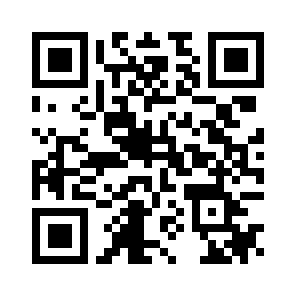
Scaled to fit. Actual size shows the print size on screen.
Print simulationNew
Shows how a worn print looks and tests it with the decoder.
Blue bars: the start, center and end guard patterns. Downloads stay in your chosen colors.
- Type
- QR Code · 2D
- Print size
- 12.2 × 12.2 mm
- Raster
- 148 × 148 px
- Symbol
- version 3, 29 × 29
- GS1 prefix
- Read back
Download
Vector drawing, 12.2 × 12.2 mm. Design and label programs place it at its print size.
More export optionsNewTest sheet · size set · embed code
Print test sheet (PDF)
The code at 80%, 100% and 150% with 100 mm and 4 in rulers. Print it at actual size and scan each copy before printing many.
Size set (ZIP)
Magnification
DPI
Embed code
How to Get a Google Review QR Code
Copy your review link from Google Business Profile, paste it here, and download the code.
- Open your Google Business Profile and choose the option to ask for reviews.
- Copy the review link Google gives you.
- Paste it into the field; the generator checks that it is a Google link.
- Download the code and scan a test print to check your review form opens.
Google Review QR Code Fields
A Google review QR code holds one field: the review link from your Business Profile.
| Field | Required | Notes |
|---|---|---|
| Your review link | Yes | Copy it from your Google Business Profile (Ask for reviews). Barcode.codes does not look up businesses. |
| Encoded form | The review link from your Google Business Profile |
|---|---|
| Example | https://g.page/r/YOUR-PROFILE-ID/review |
| Special characters | None: the link is written as it is |
| When scanned | It is a web link: readers open your review form on Google |
| Checked before drawing | The link must be a complete https address on a Google domain, such as g.page or google.com; any other site is refused. |
| Read back by Barcode.codes | The Barcode.codes scanner shows the link with an Open button naming its host. |
| Standard | Google Business Profile Help: customers can be asked to visit a Google link or scan a QR code to leave a review. |
| Size of the example | The generator's example is 39 characters long: a version 3 QR code of 29 × 29 modules at error correction M. |
| Error correction | Choose L (about 7% of the code can be restored), M (about 15%, the default), Q (about 25%) or H (about 30%), as DENSO WAVE lists them; a higher level makes a larger code. |
Sources, checked 2026-10-04: Google Business Profile Help: Tips to get more reviews.
How a Google Review QR Code Works
The code holds your review link, and phones open it in the browser, where Google shows your review form.
Where the Link Comes From
Google Business Profile Help describes asking customers to visit a Google link or scan a QR code, and how to create that link. Use the link from your own profile; the generator does not search for businesses.
Signing In
Google's help notes that customers must be signed in to a Google Account to leave a review.
Google Review Rules to Follow
Google requires reviews to reflect a genuine experience, so ask for honest reviews and never pay for them.
What Google Prohibits
Google Business Profile Help says that offering incentives, such as free or discounted goods, in exchange for posting, changing or removing reviews is prohibited. Ask every customer the same way.
Common Google Review QR Code Problems
Most problems come from the link that was pasted.
What to Check
- Wrong link: a link to your profile page is not the review link; copy the one for reviews.
- Not a Google link: the generator refuses links outside Google, so a mistyped link is caught.
- Test: scan a test print and check your business's review form opens.
Frequently Asked Questions
Where Do I Find My Google Review Link?
In your Google Business Profile, in the option to ask customers for reviews. Copy the link it gives you and paste it here.
Can Barcode.codes Find My Business for Me?
No. The generator only uses the link you paste; it never looks up or guesses a business.
Do Customers Need a Google Account?
Yes. Google's help says reviewers must be signed in to a Google Account.
Can I Offer a Discount for Reviews?
No. Google prohibits offering incentives in exchange for reviews.
Is the Google Review QR Code Free?
Yes. There is no account, watermark or download limit.
Does the Code Expire?
No. It is a static code with your link in it, and works as long as the link does.
Related QR Code Generators
- QR code generator
Every QR content type on one page.
- URL QR code generator
A code for your website.
- WhatsApp QR code generator
Let customers chat with you.