vCard QR Code Generator
Make a free vCard QR code with your name, phone, email, company, job title, website and address. The generator writes a vCard 3.0 that phones can add to their contacts, shows the encoded text, and warns when the code gets dense. Download SVG, PNG, PDF or EPS for your business card.
20.1 × 20.1 mm at 300 DPI
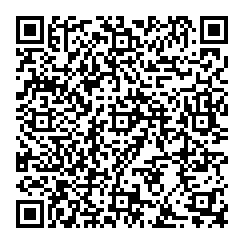
Scaled to fit. Actual size shows the print size on screen.
Print simulationNew
Shows how a worn print looks and tests it with the decoder.
Blue bars: the start, center and end guard patterns. Downloads stay in your chosen colors.
- Type
- QR Code · 2D
- Print size
- 20.1 × 20.1 mm
- Raster
- 244 × 244 px
- Symbol
- version 9, 53 × 53
- GS1 prefix
- Read back
Download
Vector drawing, 20.1 × 20.1 mm. Design and label programs place it at its print size.
More export optionsNewTest sheet · size set · embed code
Print test sheet (PDF)
The code at 80%, 100% and 150% with 100 mm and 4 in rulers. Print it at actual size and scan each copy before printing many.
Size set (ZIP)
Magnification
DPI
Embed code
How to Create a vCard QR Code
Fill in the contact details you want to share, check the size, and download the code.
- Enter a name or a company; every other field is optional.
- Add the phone numbers, email, website and address you want to share.
- Check the version under the encoded content; leave out fields if the code warns that it is dense.
- Download SVG for print, place it on your card, and scan a test print.
vCard QR Code Fields
A vCard QR code holds a contact card in the vCard 3.0 format, with a name or company and any other details you add.
| Field | Required | Notes |
|---|---|---|
| First name | No | Free text. |
| Last name | No | Free text. |
| Company | No | Free text. |
| Job title | No | Free text. |
| Mobile phone | No | Free text. |
| Work phone | No | Free text. |
| No | Free text. | |
| Website | No | Free text. |
| Street | No | Free text. |
| City | No | Free text. |
| State or region | No | Free text. |
| ZIP or postal code | No | Free text. |
| Country | No | Free text. |
| Note | No | Free text. |
| Encoded form | BEGIN:VCARD, VERSION:3.0, N and FN (both required), then the other properties, END:VCARD, one property per line |
|---|---|
| Example | BEGIN:VCARD VERSION:3.0 N:Morgan;Alex;;; FN:Alex Morgan … END:VCARD |
| Special characters | A backslash before \ , and ; in text values; a line break inside a value is written \n |
| When scanned | Readers offer to add a new contact with the fields filled in |
| Checked before drawing | A first name, a last name or a company is required. An email address must look like one; every other field is optional and can be left empty. |
| Read back by Barcode.codes | The Barcode.codes scanner lists the name, company, job title, phones, email, website, address and note it finds in a scanned card. |
| Standard | vCard 3.0, RFC 2426 (September 1998); ZXing also mentions the shorter MECARD format, which this generator does not write. |
| Size of the example | The generator's example is 162 characters long: a version 9 QR code of 53 × 53 modules at error correction M. |
| Error correction | Choose L (about 7% of the code can be restored), M (about 15%, the default), Q (about 25%) or H (about 30%), as DENSO WAVE lists them; a higher level makes a larger code. |
Sources, checked 2026-10-04: RFC 2426: vCard MIME Directory Profile (vCard 3.0); ZXing: Barcode Contents.
How a vCard QR Code Works
The code holds a vCard 3.0, the contact format of RFC 2426, which phones and address books can import.
What the Generator Writes
Every card has the required N and FN properties, then one line per field you fill in. Commas, semicolons and backslashes in your text are escaped, and line breaks in the note are written as \n.
Opening the Card
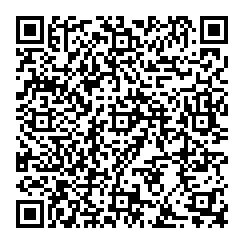
On an iPhone, the Camera app reads QR codes: hold it over the code and tap the notification that appears. Control Center also has a Code Scanner. ZXing's format guide says readers should offer to add a new contact with the fields filled in.
vCard QR Codes on Business Cards
A business card has little space, so keep the code small enough to scan by sharing only the fields people need.
Keep It Readable
- Fewer fields: each field makes the code denser; skip the note and the full address if space is tight.
- Print size: check the print size and test the printed card with a phone.
- Contrast: print dark modules on a light background.
Common vCard QR Code Problems
When a contact imports with missing or broken fields, the cause is usually the data or a dense code.
What to Check
- Phone format: include the country code, such as +1, so the number works abroad.
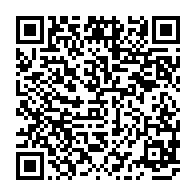
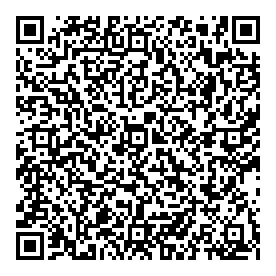
- Dense code: a version above 10 is hard to scan from a small card; remove fields.
- Outdated details: a printed card cannot be updated; make a new code when details change.
Frequently Asked Questions
What Is a vCard QR Code?
A QR code that holds a contact card in the vCard format. Scanning it lets a phone add the contact without typing.
Which vCard Version Does the Generator Use?
vCard 3.0, defined in RFC 2426. It holds names, phones, email, company, title, website, address and a note.
Why Does the Generator Warn That My Code Is Dense?
Contact cards have many fields, and above version 10 a QR code gets hard to scan in a small print. Remove fields or print the code larger.
Can I Add a Photo?
No. A photo would make the code far too large for a QR code; share a website link instead.
Is the vCard QR Code Generator Free?
Yes, with no account, watermark or download limit, including for business cards.
Is My Contact Information Uploaded?
No. The card is written and drawn in your browser.
Related QR Code Generators
- QR code generator
Every QR content type on one page.
- Phone number QR code generator
A code that calls you.
- Email QR code generator
A code that emails you.