Barcode Lookup
Look up a barcode by its number for free. Type or photograph a UPC, EAN, GTIN-14, ISBN or ISSN to see what kind of number it is, whether its check digit is right and which GS1 office issued it. If you choose, search Open Food Facts, Open Beauty Facts or Open Library for the product.
EAN-13 (GTIN-13)
GS1 Prefix
GS1 Prefix 301
Issued by GS1 France.
Issuing office's country or area: France
A prefix shows which GS1 office issued the number, not the country where the product was made.
To see which company licensed this number, search it in GS1's own registry, Verified by GS1.
Other forms of the number
- GTIN-14
- 03017624010701
How the check digit is calculated1
| Digit | 3 | 0 | 1 | 7 | 6 | 2 | 4 | 0 | 1 | 0 | 7 | 0 |
|---|---|---|---|---|---|---|---|---|---|---|---|---|
| Weight | ×1 | ×3 | ×1 | ×3 | ×1 | ×3 | ×1 | ×3 | ×1 | ×3 | ×1 | ×3 |
| Product | 3 | 0 | 1 | 21 | 6 | 6 | 4 | 0 | 1 | 0 | 7 | 0 |
Sum 49; the check digit brings it up to the next multiple of ten: 50 − 49 = 1. The last digit is 1, so it is valid.
Open registries
A search sends only this number from your browser to the registry you choose (Open Food Facts, world.openfoodfacts.org; Open Beauty Facts, world.openbeautyfacts.org), which has its own privacy policy. Nothing is sent before you click, and Barcode.codes does not see the answer.
EAN-13 (GTIN-13)
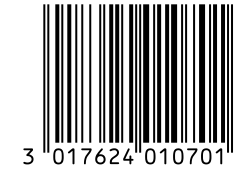
3017624010701
- GS1 Prefix: 301
- Company prefix and item reference: 762401070
- Check digit: 1
- GS1 Prefix
- 301
- Check digit
- 1, valid
- Print size
- 40.8 × 27.8 mm
- Read back
- Runs when the number changes
Download the barcode
Output DPI
Vector drawing, 40.8 × 27.8 mm. Design and label programs place it at its print size.
Drawn at the generator's default size for its type. The number is analyzed in your browser; a registry sees it only when you click its Search button.
How to Look up a Barcode by Number
Type the digits printed under the barcode, or read them from a photo, and the result appears at once.
- Type the number under the barcode, with or without spaces, or choose a photo of the barcode.
- Read the result card: the badge for the check digit, the number in its parts, the GS1 Prefix and the barcode drawn from it.
- For food, cosmetics or books, press a registry button to search Open Food Facts, Open Beauty Facts or Open Library.
- Open the registry record for the details, download the barcode as SVG, PNG, WebP, JPEG, PDF or EPS, or press Make this barcode to open the generator.
Numbers This Barcode Lookup Reads
The lookup reads every GS1 product number and the book and serial numbers printed as EAN-13 barcodes.
Product Numbers
- UPC-A: 12 digits, read by GS1 with an implied leading zero.
- UPC-E: 8 digits, expanded to its UPC-A when the photo or scanner shows it is a UPC-E.
- EAN-13 and EAN-8: 13 or 8 digits.
- GTIN-14: 14 digits on cases and cartons, with its indicator digit explained.
Book, Magazine and Music Numbers
- ISBN: ISBN-13 or ISBN-10, shown hyphenated from the official ISBN ranges, with its registration group.
- ISSN: typed with its hyphen, such as 0317-8471, or as the EAN-13 starting with 977.
- ISMN: printed music, the EAN-13 numbers starting with 979-0.
Numbers It Explains but Cannot Search
- Store and company numbers: prefixes 02, 04 and 20 to 29 are Restricted Circulation Numbers, not unique worldwide.
- Coupons and refund receipts: prefixes 99, 980 and 981 to 983.
- Examples: prefix 952, which GS1 keeps for demonstrations.
What a Barcode Lookup Can and Cannot Tell You
A barcode number tells you its type, whether it is valid and which GS1 office issued it; it does not contain the product name, price or maker.
What the Number Itself Contains
- Prefix: the GS1 Prefix of the organization that issued the number.
- Company and item: the company's GS1 Company Prefix and its own item number, in a length that varies by company.
- Check digit: the last digit, calculated from the others to catch typing and reading errors.
Where Product Details Really Live
Names, photos and prices are not stored in the barcode. The company that owns the number keeps them in its own systems and shares them with its retailers. Open registries such as Open Food Facts are built by volunteers who enter what is printed on the package, so they cover many products but not all.
UPC Lookup: Reading a 12-Digit UPC
A UPC is a 12-digit GTIN, and GS1 reads it with a 0 in front, so UPC 614141234561 belongs to GS1 Prefix 061.
Why a UPC Starts With a Leading Zero
Every GTIN can be written in 13 or 14 digits by adding zeros in front, and the value stays the same. That is why the lookup also shows the GTIN-13 and GTIN-14 forms, and why registries list many UPCs with a leading 0.
Short UPC-E Numbers
A UPC-E is a UPC-A with some zeros removed, printed on small packages. Its 8 digits can also be read as an EAN-8, so the lookup explains both and gives the full UPC-A to search with.
Finding the Company Behind a Barcode
GS1 runs its own lookup, Verified by GS1, which searches the company and basic product data registered for a GTIN.
When the Company Is Not Listed
Restricted Circulation Numbers, coupons and numbers with a wrong check digit belong to no listed company. Some sellers also use numbers that were never licensed from GS1, which GS1's own lookup cannot match to a company.
Is This Barcode Lookup Private?
The number is analyzed in your browser, and nothing is sent anywhere until you press a registry button.
What Happens When You Search a Registry
Your browser sends the number straight to the registry you chose, which answers under its own privacy policy. The request does not pass through Barcode.codes, and a photo you use to read a number never leaves your device.
Frequently Asked Questions
Is This Barcode Lookup Free?
Yes. There is no account and no limit on the number of lookups. The open registries it can search are free as well.
Why Was My Product Not Found?
The open registries only list products that volunteers have added, and they cover food, cosmetics and books, not every kind of product. A number can be perfectly valid and still be missing; the analysis above the registry buttons does not depend on it.
Can I Find the Price of a Product From Its Barcode?
No. The barcode number carries no price; each store sets its own price in its own system. The open registries searched here do not record prices either.
Can I Find Out Who Makes a Product?
The number shows which GS1 office issued it, not the company. To find the company that licensed it, search the number in Verified by GS1, GS1's own lookup.
Is There a Barcode Lookup App?
This page works in the browser on any phone, so there is nothing to install. Choose a photo of the barcode to read the number, or use the camera scanner and press Look up this number.
What Does a Wrong Check Digit Mean?
The last digit does not match the others, so at least one digit was typed or read wrong. Check the number against the package; a scanner at a checkout would reject it.
Related Barcode Tools
- Barcode scanner
Scan with your camera, then look up the number.
- Check digit calculator
Every step of a check digit, for GS1, ISBN, Code 128 and Luhn.
- Barcode generator
Make the barcode for a number that checks out.