Aztec Code Generator
Make an Aztec code online for free. Type any text, choose a compact or full-range symbol, set the number of layers or let the generator pick the smallest, and choose how much error correction to add. A capacity meter shows how much fits, and you can download SVG, PNG, PDF or EPS.
8.9 × 8.9 mm at 300 DPI
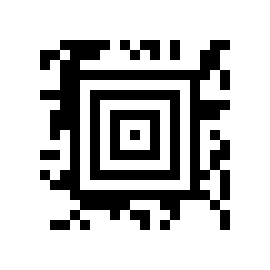
Scaled to fit. Actual size shows the print size on screen.
Print simulationNew
Shows how a worn print looks and tests it with the decoder.
Blue bars: the start, center and end guard patterns. Downloads stay in your chosen colors.
- Type
- Aztec · 2D
- Print size
- 8.9 × 8.9 mm
- Raster
- 108 × 108 px
- Symbol
- 19 × 19
- GS1 prefix
- Read back
Download
Vector drawing, 8.9 × 8.9 mm. Design and label programs place it at its print size.
More export optionsNewTest sheet · size set · embed code
Print test sheet (PDF)
The code at 80%, 100% and 150% with 100 mm and 4 in rulers. Print it at actual size and scan each copy before printing many.
Size set (ZIP)
Magnification
DPI
Embed code
How to Create an Aztec Code
Type the data, choose the format and error correction, and download the file.
- Type the text or web address you want to encode.
- Choose Full range, or Compact for a smaller symbol with up to 4 layers.
- Keep the error correction at 23 percent, or raise it for codes that may be damaged.
- Download SVG, PNG, PDF or EPS and scan a test print.
Compact and Full-Range Aztec Codes
Aztec codes come in two forms that differ in size and capacity, and both grow in layers as the data grows.
Compact Aztec
- Layers: 1 to 4.
- Size: 15 × 15 to 27 × 27 modules.
- Capacity: up to 108 digits or 88 capital letters and digits at 4 layers.
Full-Range Aztec
- Layers: 1 to 32.
- Size: 19 × 19 to 151 × 151 modules.
- Capacity: up to 3,832 digits or 3,067 capital letters and digits at 32 layers.
Aztec Code Specifications
These are the rules of Aztec Code as described in the encoder's reference, which cites ISO/IEC 24778.
| Property | Aztec Code |
|---|---|
| Digits | Up to 3,832 digits in the largest symbol (32 layers) |
| Characters | Any data, ASCII and extended ASCII; readers use ISO/IEC 8859-1 unless an ECI says otherwise |
| Check digit | No check digit: error correction is a percentage of the data, 23% plus 3 codewords by default |
| Sizes | Compact: 1 to 4 layers, 15 × 15 to 27 × 27 modules; full range: 1 to 32 layers, 19 × 19 to 151 × 151 modules |
| Variants | Compact Aztec Code for restricted space, and Aztec Runes, small symbols for special applications |
| Other character sets | Extended Channel Interpretation (ECI) indicators switch readers to another code page, where the reader supports them |
| Reader programming | Only full-range symbols of 1 to 22 layers can carry reader programming |
| Capacity in this generator | 32 layers: 3,832 digits or 3,067 capital letters and digits |
| Standards | ISO/IEC 24778 and ANSI/AIM BC13 |
| Where the numbers come from | Your own data |
| Example | BC-2026-0042 |
BWIPP Aztec Code reference (layers, error correction default, compact form, standards); sizes and capacities measured with this generator's encoder (test/phase8.test.ts).
Sources, checked 2026-10-04: Aztec Code reference (BWIPP).
Error Correction in Aztec Codes
Aztec error correction is set as a percentage of the data: 23 percent plus 3 codewords by default.
Choosing a Percentage
This generator accepts 5 to 95 percent. A higher percentage lets a damaged code still be read, but needs more layers for the same data, so the symbol grows.
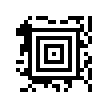
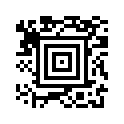
Aztec Code vs QR Code
Both are square 2D codes; Aztec sets error correction as a percentage and grows in layers, while QR Code has four error correction levels and 40 versions.
| Property | Aztec Code | QR Code |
|---|---|---|
| Smallest symbol | 15 × 15 modules (compact) | 21 × 21 modules |
| Largest symbol | 151 × 151 modules | 177 × 177 modules |
| Most digits | 3,832 | 7,089 (error correction L) |
| Error correction | 5 to 95 percent | L, M, Q or H |
When to Choose Aztec
Choose Aztec when a reading system or specification asks for it, or when you want fine control over error correction. For web addresses that phones should open, use a QR Code: the iPhone Camera app, for example, reads QR codes.
Frequently Asked Questions
Is This Aztec Code Generator Free?
Yes. There is no account, watermark or download limit, and the codes may be used commercially.
What Is an Aztec Code?
A square 2D barcode whose size grows in layers with the data. It can encode any text and comes in compact and full-range forms.
How Many Layers Does My Code Need?
Keep Smallest that fits and the generator uses the fewest layers for your data. Set a number only if a specification asks for a fixed size.
How Much Data Fits in an Aztec Code?
Up to 3,832 digits or 3,067 capital letters and digits in a 32-layer symbol in this generator. The capacity line shows the limit for your data and settings.
What Is the Difference Between Compact and Full Range?
Compact Aztec has 1 to 4 layers and is smaller for short data. Full range has up to 32 layers and holds far more.
Can the Barcode.codes Scanner Read Aztec Codes?
Yes. The scanner and the image reader read Aztec codes in the browser, from the camera or from a photo.
Related Barcode Tools
- Data Matrix generator
A small square or rectangular 2D code.
- PDF417 generator
A stacked 2D code for long text.
- Scan an Aztec code
Check a printed code with your camera.