UPC Barcode Generator
Make a UPC barcode online for free: type your 11- or 12-digit UPC-A or 8-digit UPC-E number, and the generator adds or checks the check digit, draws the bars at the GS1 standard size and lets you add a 2- or 5-digit add-on. Download SVG, PNG, PDF or EPS for print.
42.9 × 27.8 mm at 300 DPI
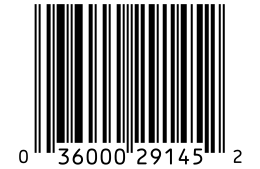
Scaled to fit. Actual size shows the print size on screen.
Print simulationNew
Shows how a worn print looks and tests it with the decoder.
Blue bars: the start, center and end guard patterns. Downloads stay in your chosen colors.
- Type
- UPC-A · 1D
- Print size
- 42.9 × 27.8 mm
- Raster
- 520 × 337 px
- Modules
- 95 wide
- GS1 prefix
- 003 · GS1 US
- Read back
Download
Vector drawing, 42.9 × 27.8 mm. Design and label programs place it at its print size.
More export optionsNewTest sheet · size set · embed code
Print test sheet (PDF)
The code at 80%, 100% and 150% with 100 mm and 4 in rulers. Print it at actual size and scan each copy before printing many.
Size set (ZIP)
Magnification
DPI
Embed code
How to Create a UPC Barcode
Enter the number, check the size, and download: the generator handles the check digit and the GS1 layout.
- Choose UPC-A for most products, or UPC-E for a small package whose number can be compressed.
- Type the UPC number. Leave out the last digit and the check digit is added; type all 12 digits and it is checked.
- Keep the magnification at 100% unless your packaging needs a smaller or larger code, and check the print size in inches and millimeters.
- Download SVG for your designer or PNG at your printer's DPI, then scan a test print.
UPC-A and UPC-E Barcodes
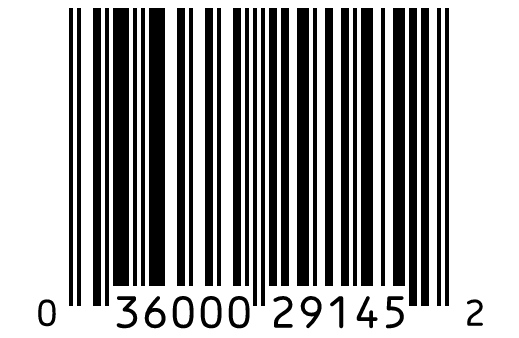
UPC-A is the full 12-digit product barcode, and UPC-E is a shorter form of the same number for small packages.
UPC-A: The Standard 12-Digit Code
- Digits: 11 digits of the product number plus a check digit.
- Where: products sold in stores in the United States and Canada.
- Quiet zone: 9 modules of white space on each side.
UPC-E: The Short Code for Small Packages
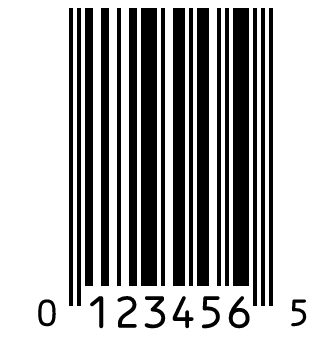
- Digits: 8: number system 0, six encoded digits and the check digit.
- When: only for UPC-A numbers that start with 0 and have four or five zeros in set places.
- Same product: a scanner expands it back to the full UPC-A, so both identify the same item.
UPC-A and UPC-E Specifications
These are the GS1 rules for UPC symbols scanned at retail checkouts, side by side.
| Property | UPC-A | UPC-E |
|---|---|---|
| Digits | 12 digits: an 11-digit GTIN-12 body and a check digit | 8 digits: number system 0, six encoded digits and the check digit of the full UPC-A |
| Characters | Digits 0 to 9 | Digits 0 to 9; only GTIN-12 numbers that start with 0 and have four or five zeros in set positions |
| Check digit | GS1 mod 10: weights 3 and 1 from the right, the check digit brings the sum to a multiple of 10 | The GS1 mod 10 check digit of the expanded UPC-A, encoded through the number sets of the six digits |
| X-dimension (narrowest bar) | 0.33 mm (0.0130 in) standard; 0.264 to 0.66 mm allowed | 0.33 mm (0.0130 in) standard; 0.264 to 0.66 mm allowed |
| Minimum bar height | 22.85 mm (0.900 in) at the standard X-dimension; 18.28 mm at the smallest and 45.7 mm at the largest | 22.85 mm (0.900 in) at the standard X-dimension; 18.28 mm at the smallest and 45.7 mm at the largest |
| Quiet zone | 9 modules left, 9 modules right | 9 modules left, 7 modules right |
| Add-ons | Optional EAN-2 or EAN-5 add-on, 7 to 12 modules after the main symbol, with a 5-module right quiet zone | Optional EAN-2 or EAN-5 add-on, 7 to 12 modules after the main symbol, with a 5-module right quiet zone |
| Where the numbers come from | A GS1 Company Prefix licensed from GS1 US, or numbers assigned by your retailer | The same GTIN-12 as the UPC-A: a UPC-E is a compressed UPC-A, not a separate number |
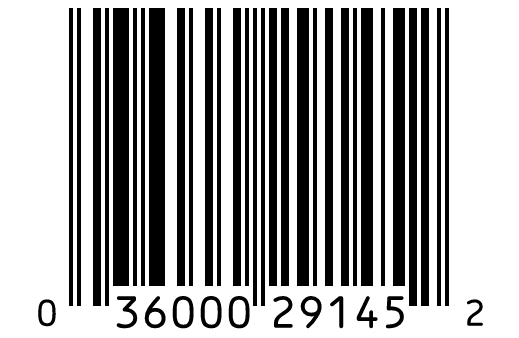
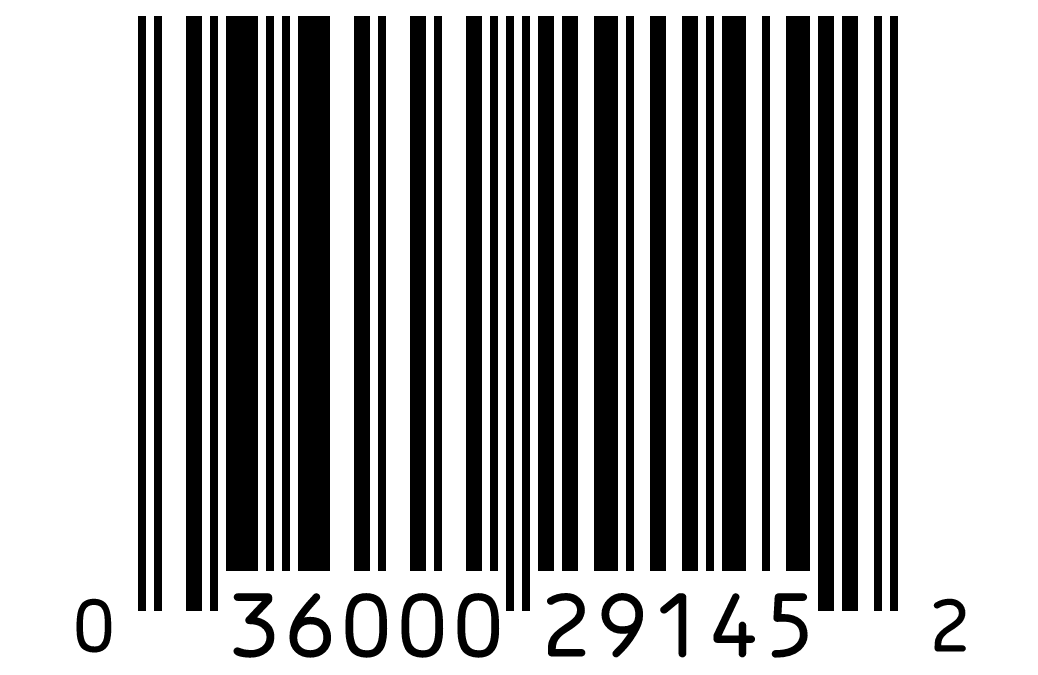
| Example | 036000291452 | 01234565 |
GS1 General Specifications §5.2 (EAN/UPC), §7.9 (check digit), symbol specification table 1 (table 5-44, page 410). GS1 General Specifications §5.2.2.4 (UPC-E encodation and zero suppression), §7.10, table 5-44 (page 410).
Sources, checked 2026-10-04: GS1 General Specifications, Release 26.0 (ratified January 2026); GS1 US: Create a barcode.
How the UPC Check Digit Works
The last digit of a UPC is calculated from the other 11, so a scanner can tell when it has misread a bar.
A Worked Example
Take the 11 digits 03600029145. Multiply the digits in odd positions counted from the right by 3, add the others, and round up to the next multiple of 10.
- Weights 3 and 1 from the right: 3 × (0 + 6 + 0 + 2 + 1 + 5) + (3 + 0 + 0 + 9 + 4) = 58.
- The next multiple of 10 is 60.
- 60 − 58 = 2, so the full UPC-A is 036000291452.
When the Check Digit Is Wrong
If you type 12 digits with a wrong last digit, the generator names the digit it expects and offers a Fix it button. Nothing is drawn until the number is valid, so a wrong code never reaches your download.
Printing a UPC Barcode at the Right Size
At 100% magnification a UPC-A has 0.33 mm bars at their narrowest and 22.85 mm tall bars; GS1 allows 80% to 200% of that size.
Magnification From 80% to 200%
The magnification menu sets the X-dimension and the minimum bar height together, from 0.264 mm at 80% to 0.66 mm at 200%. Below 100%, check that your printer can reproduce the thinner bars; above it, the code simply gets larger.
Do Not Cut the Bars Short
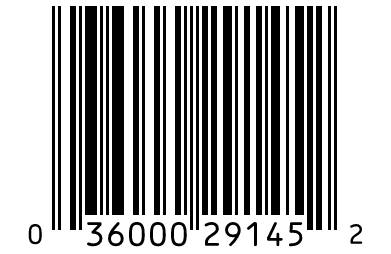
Shortening the bars to save space makes a UPC harder to scan at an angle. The generator warns when the bars are shorter than the GS1 minimum for the chosen X-dimension.
Keep the Quiet Zone Clear
Leave at least 9 modules of white space on each side of a UPC-A, and 9 on the left and 7 on the right of a UPC-E. Text, borders or package edges inside that space stop scanners from finding the code.
Where to Get a UPC Number
A UPC number for a product sold in stores comes from a GS1 Company Prefix licensed to your company, not from a barcode generator.
A GS1 Company Prefix From GS1 US
In the United States, GS1 US licenses company prefixes, and you number your products from your prefix. The prefix ties every UPC to your company in GS1's records.
Check What Your Retailer Accepts
Retailers and marketplaces set their own rules for product numbers. Ask which numbers they accept before buying numbers anywhere other than GS1.
Barcodes for Your Own Use
For shelves, bins and assets that never reach a store checkout, you do not need a UPC. A Code 128 barcode holds your own codes and letters.
Frequently Asked Questions
Is This UPC Barcode Generator Free?
Yes. There is no account, no watermark and no limit on downloads, and the barcodes you make may be used on commercial products.
Can I Make a UPC Barcode Without a GS1 Number?
You can draw a valid UPC barcode for any 12-digit number, and it will scan. Whether a store accepts it depends on the number: retailers expect a GTIN licensed to your company.
What Is the Difference Between UPC-A and UPC-E?
UPC-A shows all 12 digits. UPC-E compresses some UPC-A numbers that contain runs of zeros into 8 digits, so the barcode fits small packages; scanners expand it back to the same UPC-A.
Can a UPC Barcode Include a Price?
No. A UPC identifies the product, and the store looks up the price in its own system. Books in the United States and Canada are the exception: a 5-digit add-on such as 52495 can carry the US$ cover price.
Why Does the Generator Say My UPC Is Invalid?
Usually the check digit does not match the other digits, or the number has the wrong length. The message names the required length or the expected check digit, and Fix it corrects the check digit.
Can I Convert a UPC-A to a UPC-E?
Only if the number starts with 0 and has its zeros in the places one of the four GS1 rules expects. The UPC-E to UPC-A converter tests each rule and explains why a number does not fit.
Related UPC Tools
- UPC-E to UPC-A converter
Expand or compress a UPC, step by step.
- EAN-13 barcode generator
For products sold outside North America.
- Test a printed UPC with the barcode scanner
Scan it with your phone or laptop camera.