Code 93 Barcode Generator
Make a Code 93 barcode online for free. Type capital letters, digits and a few symbols, or choose Code 93 Full ASCII for any text; the two check characters Code 93 requires are added for you. Set the size for your printer and download SVG, PNG, PDF or EPS.
36.6 × 19.4 mm at 300 DPI
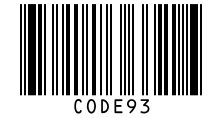
Scaled to fit. Actual size shows the print size on screen.
Print simulationNew
Shows how a worn print looks and tests it with the decoder.
Blue bars: the start, center and end guard patterns. Downloads stay in your chosen colors.
- Type
- Code 93 · 1D
- Print size
- 36.6 × 19.4 mm
- Raster
- 444 × 236 px
- Modules
- GS1 prefix
- Read back
Download
Vector drawing, 36.6 × 19.4 mm. Design and label programs place it at its print size.
More export optionsNewTest sheet · size set · embed code
Print test sheet (PDF)
The code at 80%, 100% and 150% with 100 mm and 4 in rulers. Print it at actual size and scan each copy before printing many.
Size set (ZIP)
Magnification
DPI
Embed code
How to Create a Code 93 Barcode
Type the data, choose standard or Full ASCII, and download; the check characters need no action.
- Type capital letters, digits and the symbols - . $ / + % or space.
- For lowercase letters and other ASCII characters, choose Code 93 Full ASCII.
- Set the X-dimension and bar height, and check the print size.
- Download SVG, PNG, PDF or EPS and test-scan a print.
Code 93 and Code 93 Full ASCII
Code 93 encodes the same 43 characters as Code 39, and its Full ASCII form adds the rest of ASCII with shift characters.
Standard Code 93
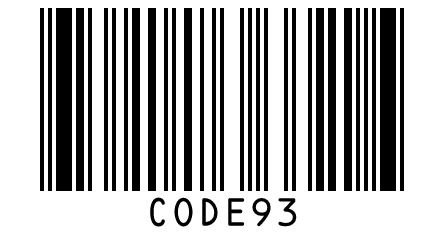
- Characters: 0 to 9, A to Z, the space and six symbols: -, ., $, /, + and %.
- Check characters: two, C and K, always added.
Code 93 Full ASCII
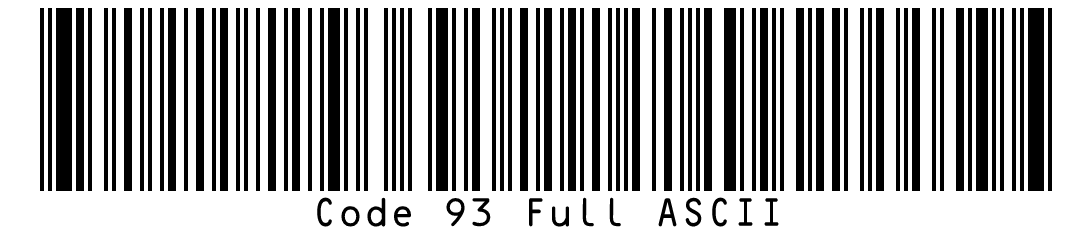
- Characters: all 128 ASCII characters.
- How: extra characters use one of four shift characters, ($), (%), (/) or (+), followed by a standard character.
Code 93 Specifications
These are the rules of Code 93 and Code 93 Full ASCII as described in the encoder's references, which cite ANSI/AIM BC5.
| Property | Code 93 | Code 93 Full ASCII |
|---|---|---|
| Digits | Variable length | Variable length; a character outside standard Code 93 takes two symbol characters |
| Characters | Digits 0 to 9, capital letters A to Z, space and - . $ / + % | All 128 ASCII characters |
| Check digit | Two mandatory check characters, C and K, added by the encoder | Two mandatory check characters, C and K, as in standard Code 93 |
| Symbology type | Continuous, variable length and self-checking | Continuous, variable length and self-checking, like standard Code 93 |
| Full ASCII | Code 93 Extended, also called Code 93 Full ASCII, encodes all 128 ASCII characters with four extra shift characters: ($), (%), (/) and (+) | Not applicable |
| Width in this generator | 9 modules per character | 9 modules per standard character and 18 for a character written with a shift, such as a lowercase letter |
| Standards | ANSI/AIM BC5 (USS Code 93) and ITS 93i | ANSI/AIM BC5 (USS Code 93) and ITS 93i |
| Reading on Barcode.codes | The scanner and the reader decode standard and Full ASCII Code 93 and verify both check characters before showing a result | The scanner and the reader decode standard and Full ASCII Code 93 and verify both check characters before showing a result |
| How extra characters are written | Not applicable | One of four shift characters, ($), (%), (/) or (+), followed by a standard character |
| Where the numbers come from | Your own data | Your own data |
| Example | CODE93 | Code 93 Full ASCII |
BWIPP Code 93 and Code 93 Extended references (character set, the two check characters, symbology type, the four shift characters, standards); width measured in this generator (test/page-examples.test.ts). BWIPP Code 93 Extended reference (four shift characters, check characters, standards); widths measured in this generator (test/page-examples.test.ts).
Sources, checked 2026-10-04: Code 93 reference (BWIPP); Code 93 Extended reference (BWIPP).
Code 93 vs Code 39
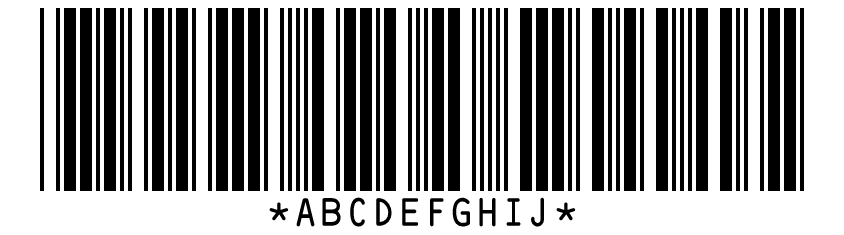
Code 93 encodes the same characters as Code 39 in a shorter symbol and always includes two check characters.
| Property | Code 93 | Code 39 |
|---|---|---|
| Modules per character | 9 | 16 (at a 3:1 ratio) |
| Ten capital letters | 128 modules | 192 modules |
| Check characters | two, always | one, optional |
Which One to Choose
Use Code 93 when your scanners read it and space is tight. Use Code 39 when an existing system requires it, and Code 128 for new labels that need lowercase letters or many digits.
Frequently Asked Questions
Does Code 93 Need a Check Character?
Yes, two: C and K. The generator always adds them, and scanners check and remove them.
Is Code 93 Shorter Than Code 39?
Yes. In this generator a Code 93 character takes 9 modules against 16 for Code 39, so ten capital letters need 128 modules instead of 192.
Can Code 93 Encode Lowercase Letters?
Only in Code 93 Full ASCII, which writes each extra character with a shift character and a standard one.
Can Every Scanner Read Code 93?
Scanners need Code 93 decoding turned on; the Barcode.codes scanner and reader read it, including Full ASCII.
Is This Code 93 Generator Free?
Yes, with no account, watermark or download limit, for personal and commercial use.
When Should I Use Code 128 Instead?
When the data has lowercase letters or long runs of digits: Code 128 encodes them directly and packs digits in pairs.
Related Barcode Tools
- Code 39 barcode generator
The same character set, wider symbols.
- Code 128 barcode generator
For lowercase and numbers.
- Read a Code 93 barcode from a photo
Check a barcode you already have.